
US Election Campaign Management Dashboard
A role-based, data-backed redesign for pitching a modern election platform
UI UX Design Intern

Role:
Internal Product Redesign

Project Type:
Web Dashboard & Mobile

Platform:
Project Snapshot
Primary Goal
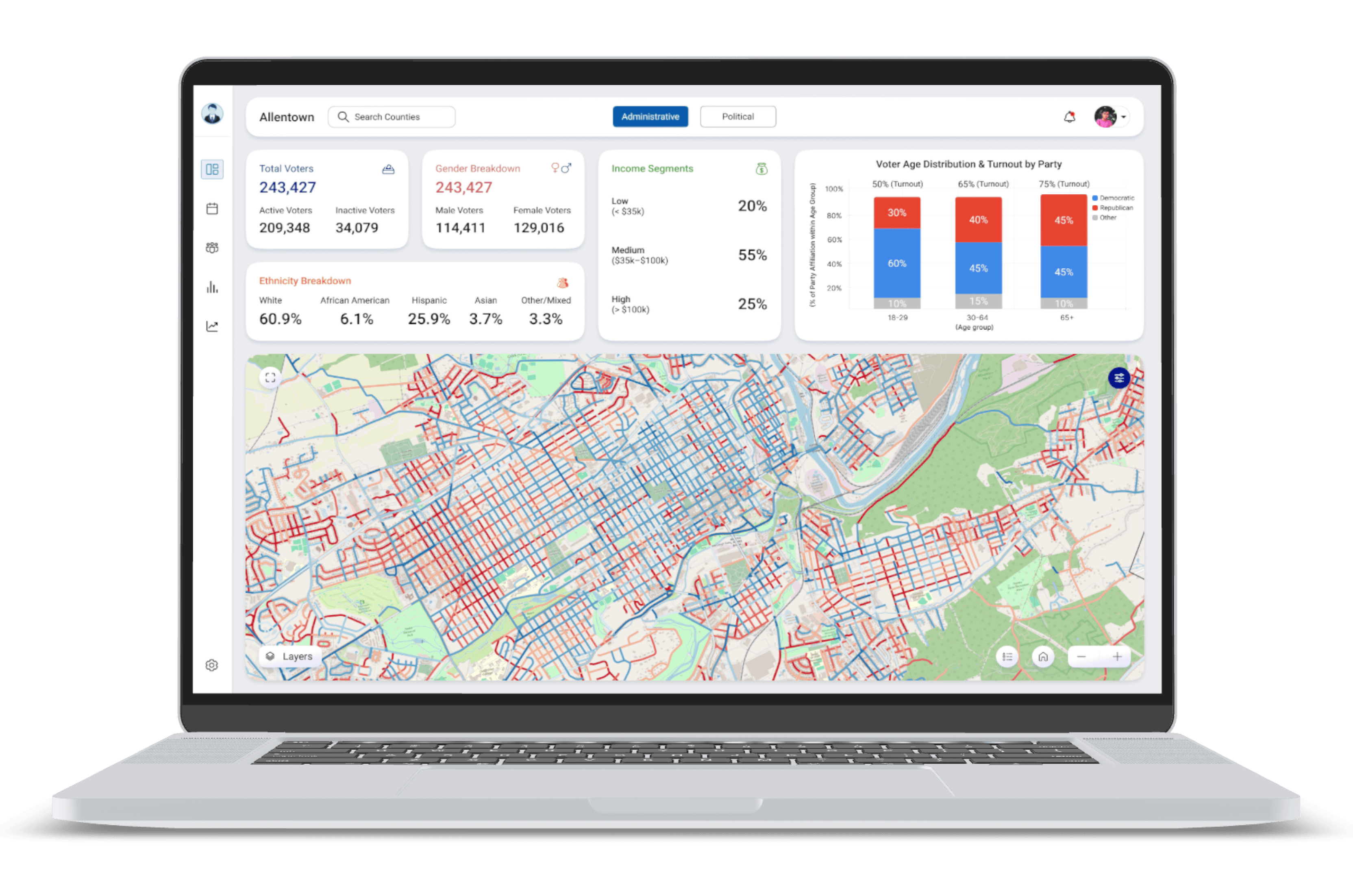
I redesigned an existing US Election Campaign Management dashboard that was being prepared to pitch to a potential client. The product already existed but looked outdated, took too long to explain, and failed to clearly communicate political insights.

Time:
1 month

Platforms:
Web dashboard (Campaign manager & Candidate)
Mobile app (Volunteer)
Create a modern, easy-to-explain, role-based dashboard that visually communicates election insights within seconds.


Domain:
Election campaign management
The Brief (What I was asked to design)
Responsive for desktop & mobile
Role-based experiences
Neutral by default (not biased toward any party)
Focused on Pennsylvania - Lehigh County
Data-backed, not assumption-based
The dashboard needed to be:
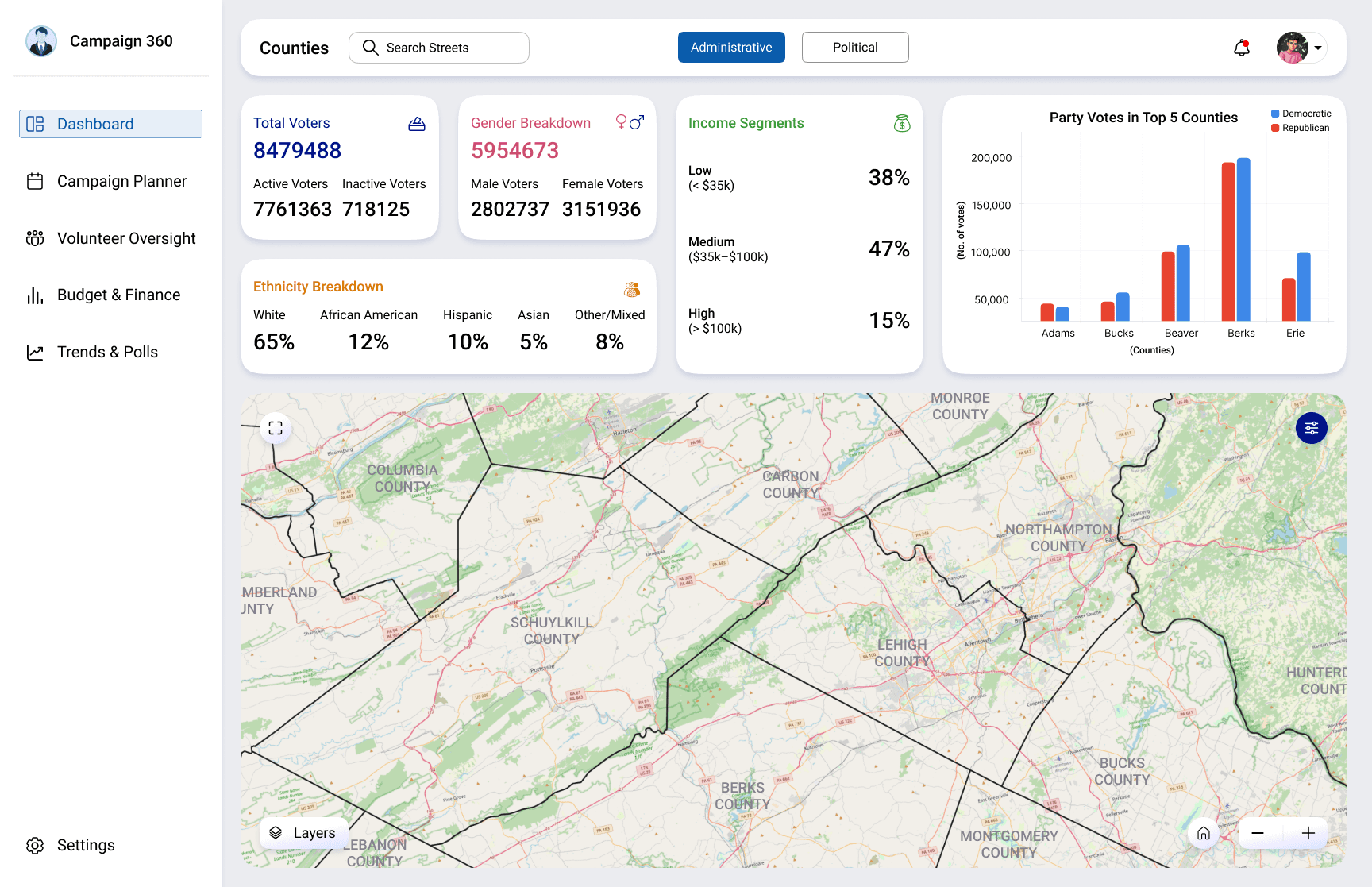
Dashboard (Interactive Map & KPIs)
Campaign Planner (Calendar View)
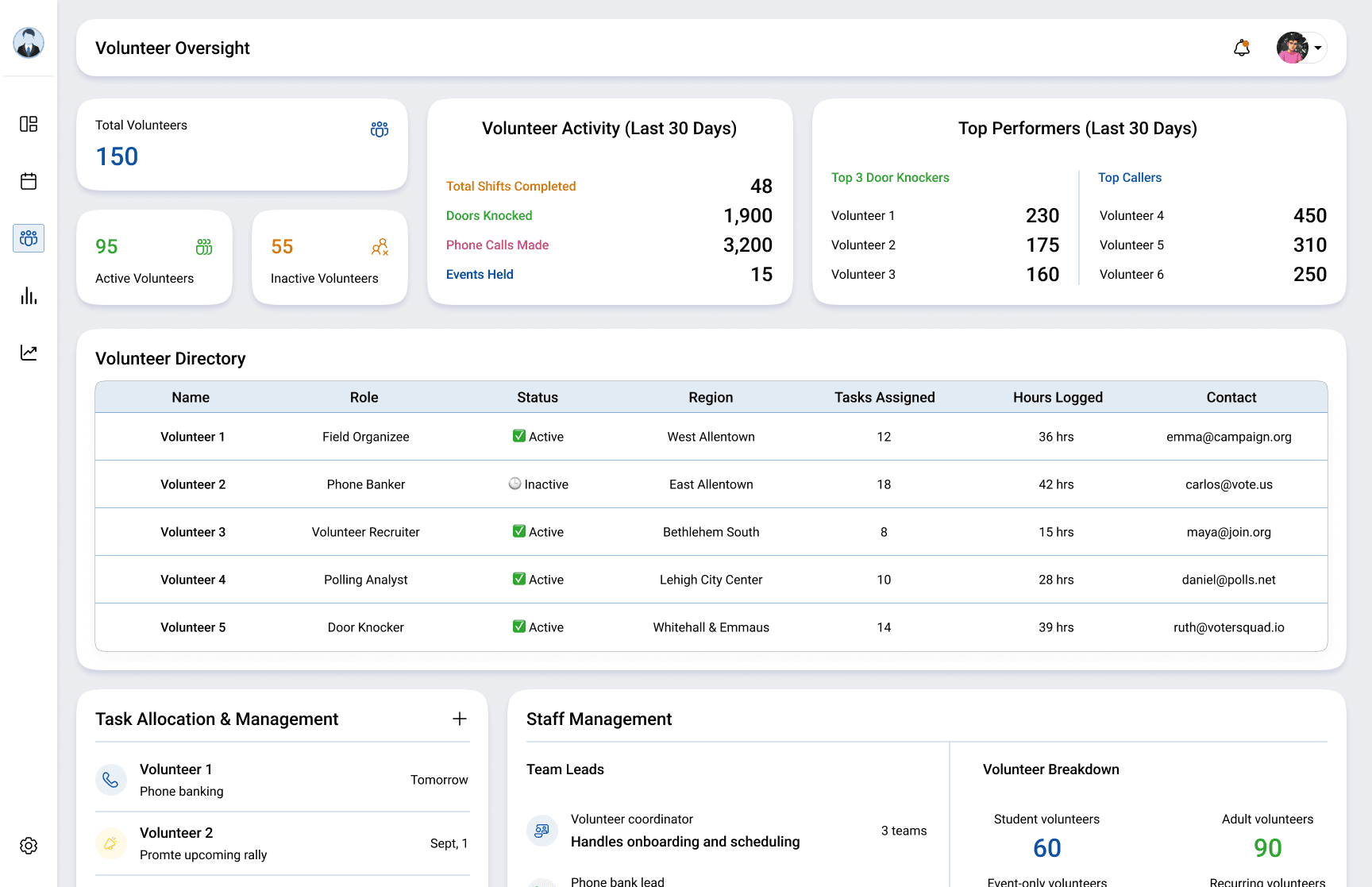
Volunteer Overview (Management & Tasks)
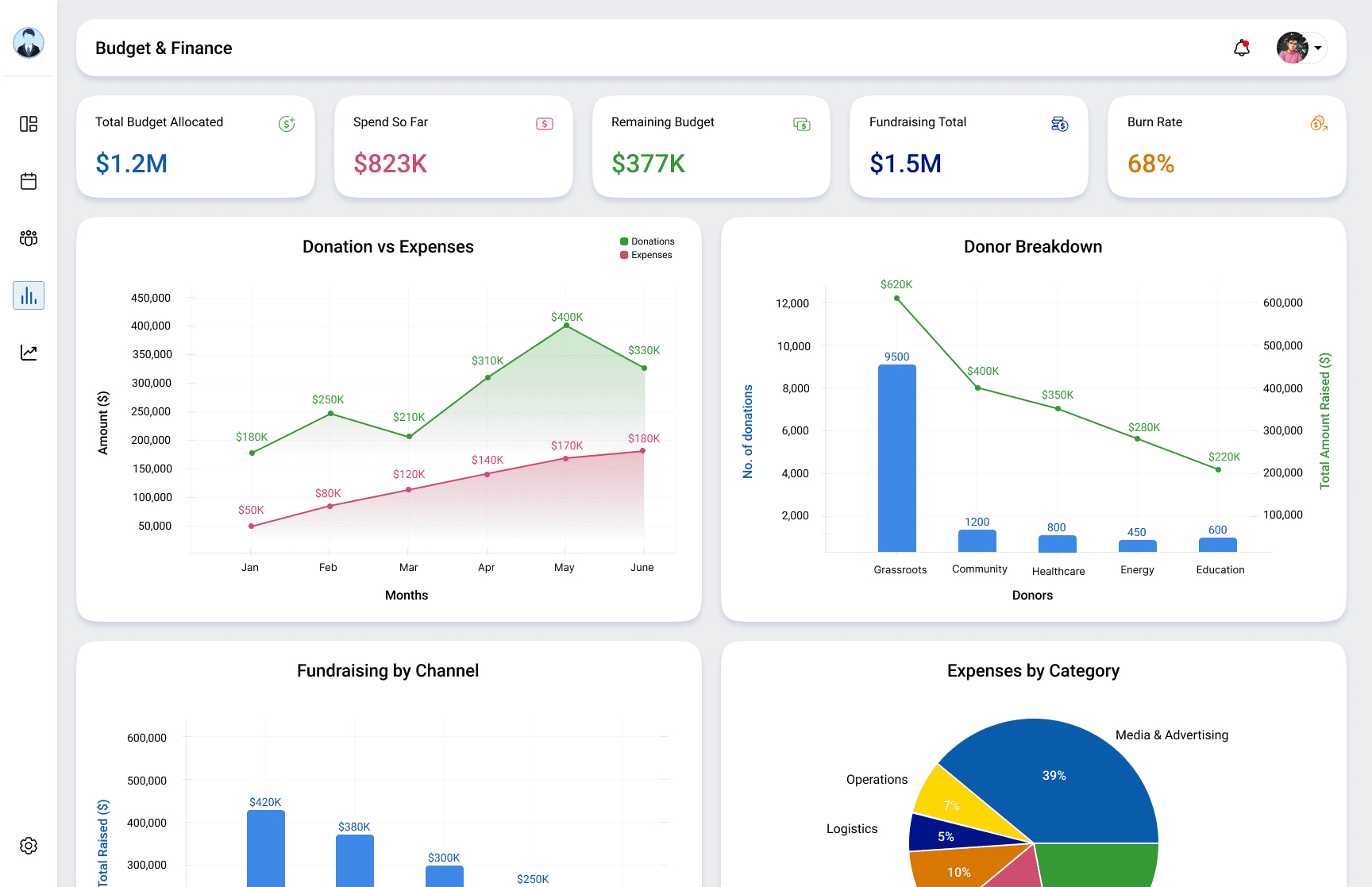
Budgeting & Finance (Funding & Expenses)
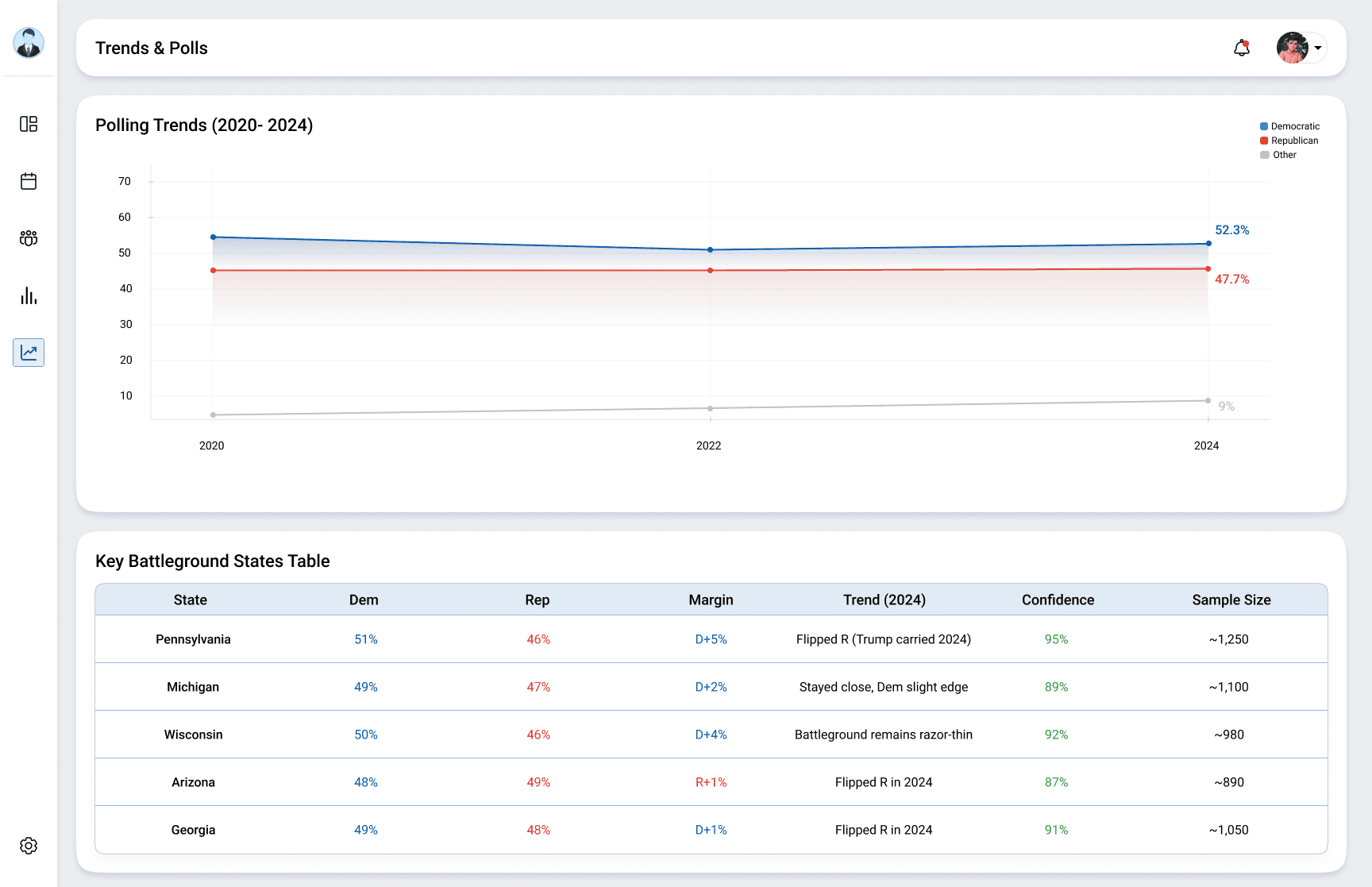
Trends & Polls (Based on Past Elections)
Core Modules Required

Problems With the Existing Dashboards
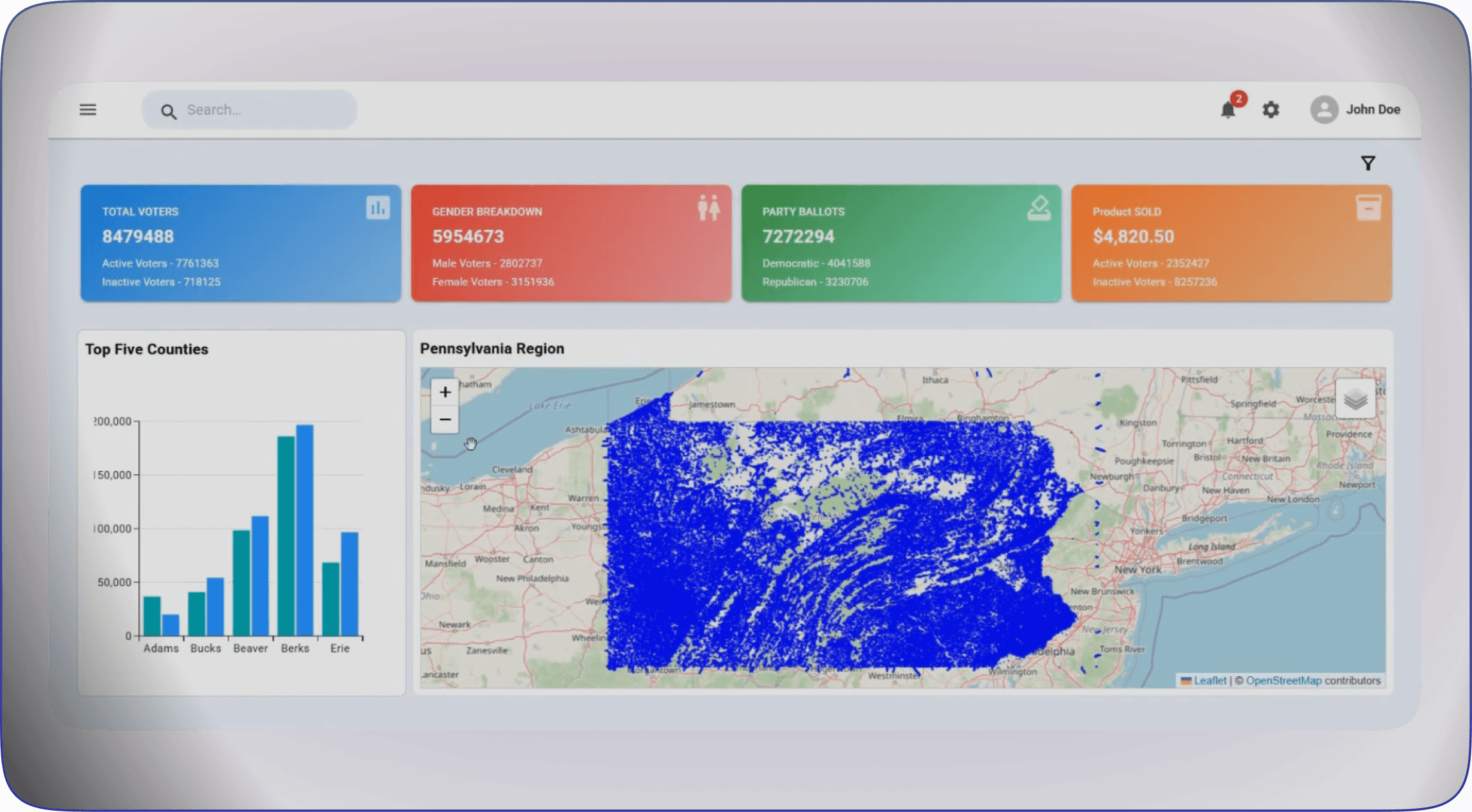
The company already had multiple dashboards, but the dashboards showed data, not insight.
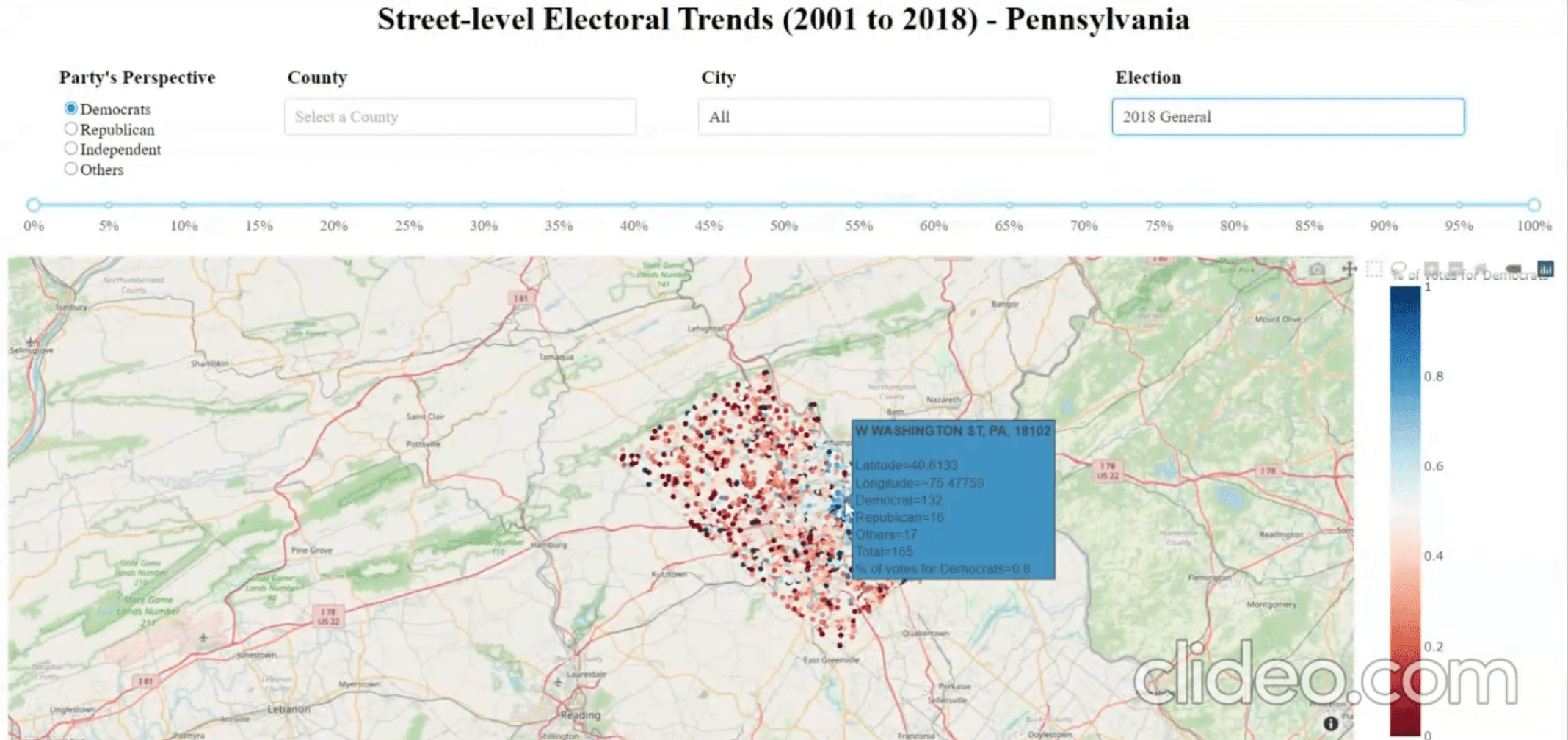
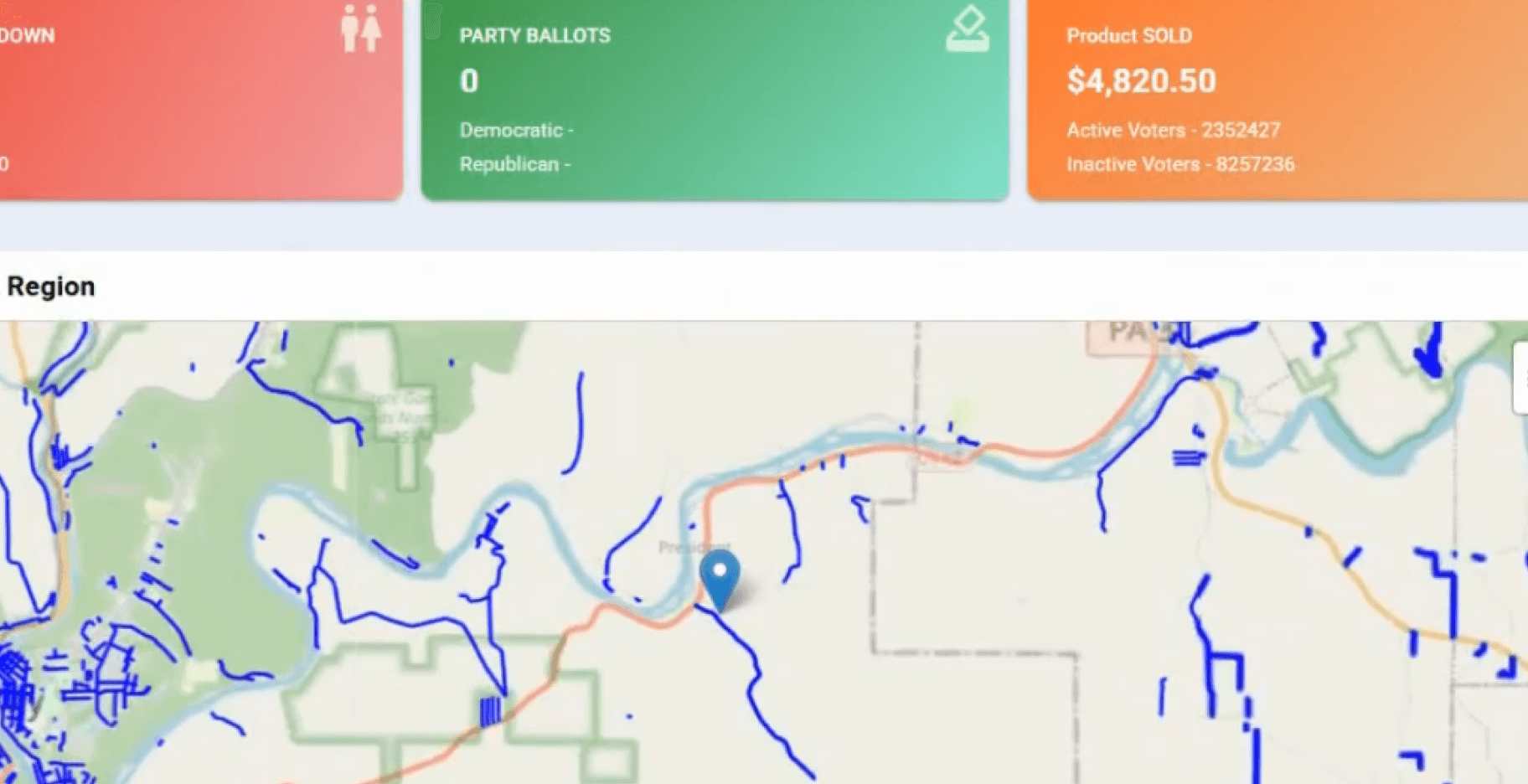
Early versions showed street-level dots, hard to interpret
Party perspective existed, but required filters + explanations
Later dashboard showed KPIs & streets data, but:
No party perspective
No visual cues (about political parties)
Streets had no political meaning
Rishabh

My Design Approach
I followed three simple principles:
The goal was not analytical perfection. It was clarity, trust and quick insights
Rishabh
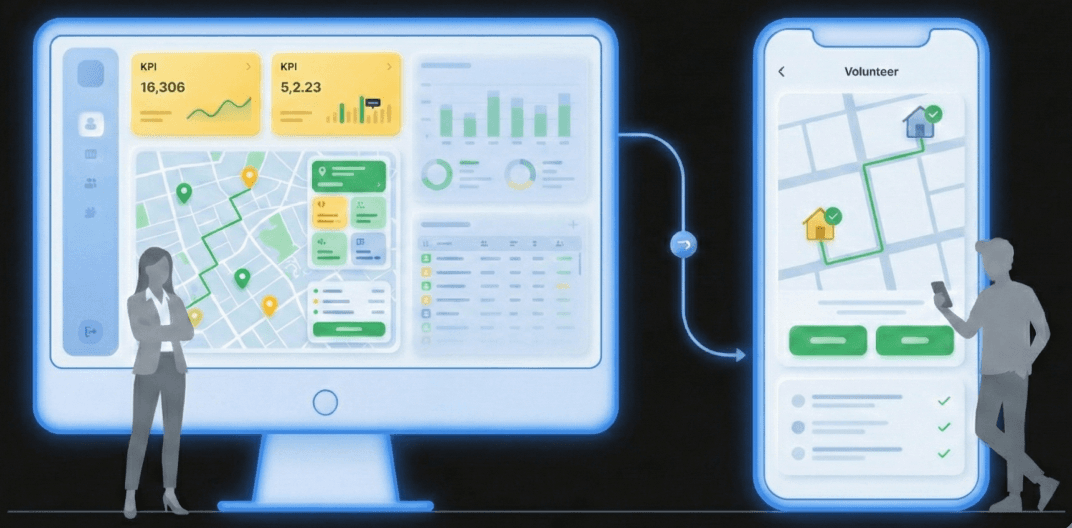
Role-based experiences
Each user sees only what they need, not everything.
Visual-first storytelling
Insights should be visible, not hidden inside filters or tooltips.

Data-backed UI
All dashboards were built using data-assisted logic, not random assumptions.
Users & Roles Overview

Campaign Manager (Web)
Make fast, informed campaign decisions
Needs planning, budgeting, volunteers & trends
Oversees campaign operations

Candidate (Web)
Understand where to focus next
Needs high-level clarity
No complex data, no controls

Volunteer (Mobile)
Complete tasks efficiently on the ground
Executes field tasks
Needs maps, tasks & progress
Street-Level Political Visualization
Problem
My Solution
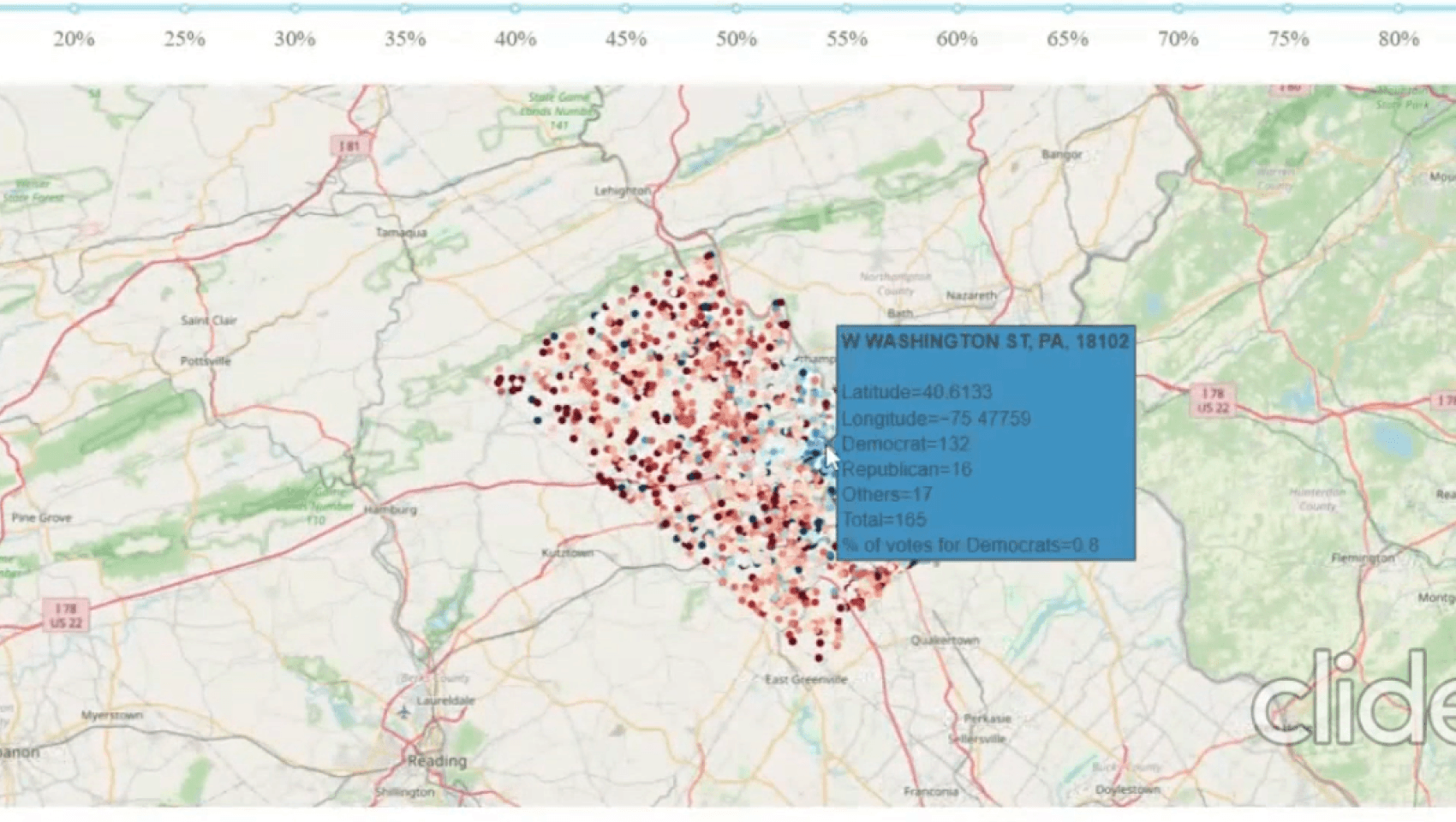
Earlier dashboards either:
Using GIS-based street data (QGIS), I introduced clear political visual cues
Rishhux
Used dotted maps (too noisy)
Which party is strong on this street?|
Showed streets without party context
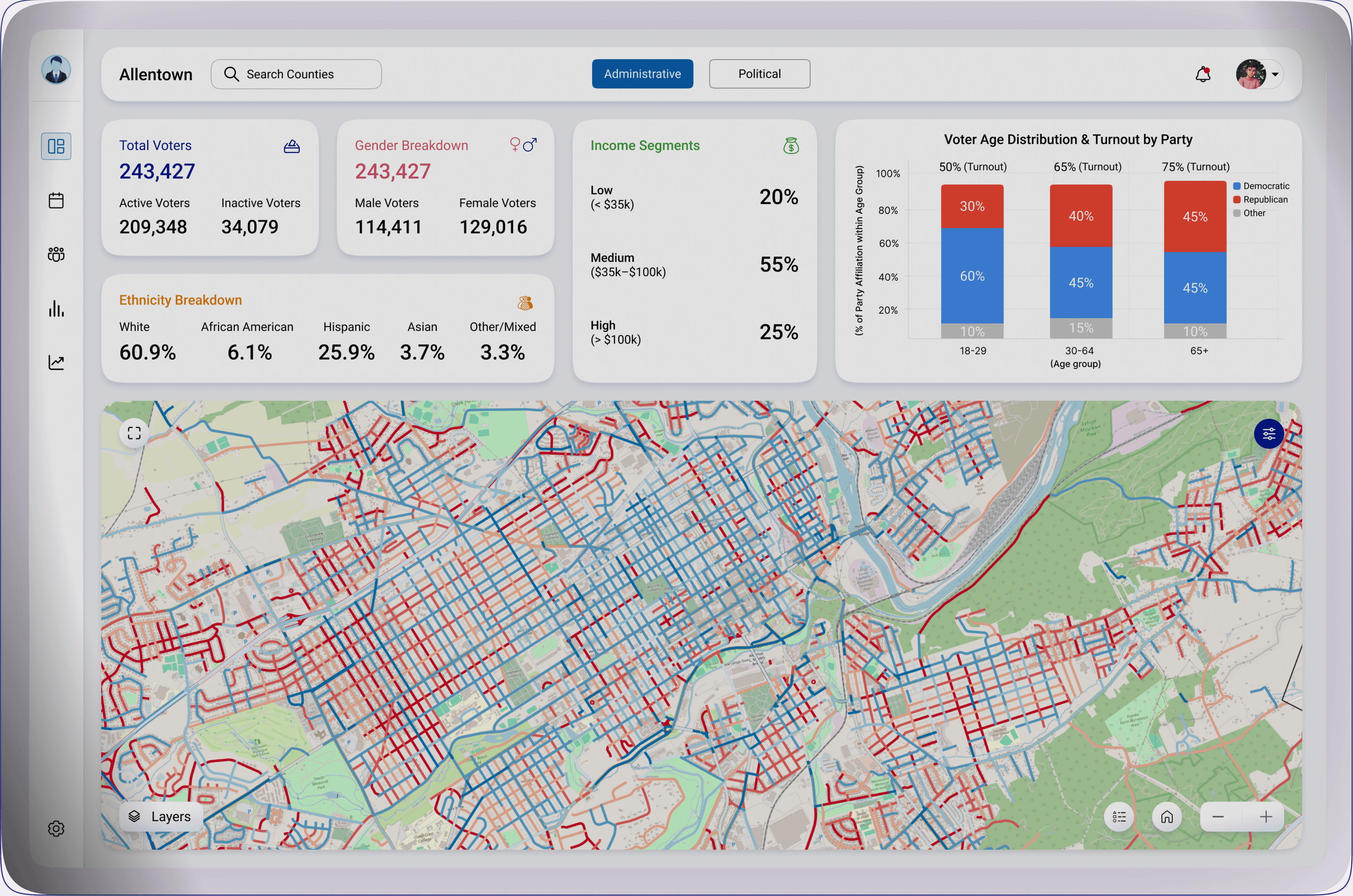
Republican
Democratic
Why this mattered
Party dominance became instantly readable
Political insights became visual, not textual
Campaign Manager Dashboard
What I Designed
Two Views in One Dashboard
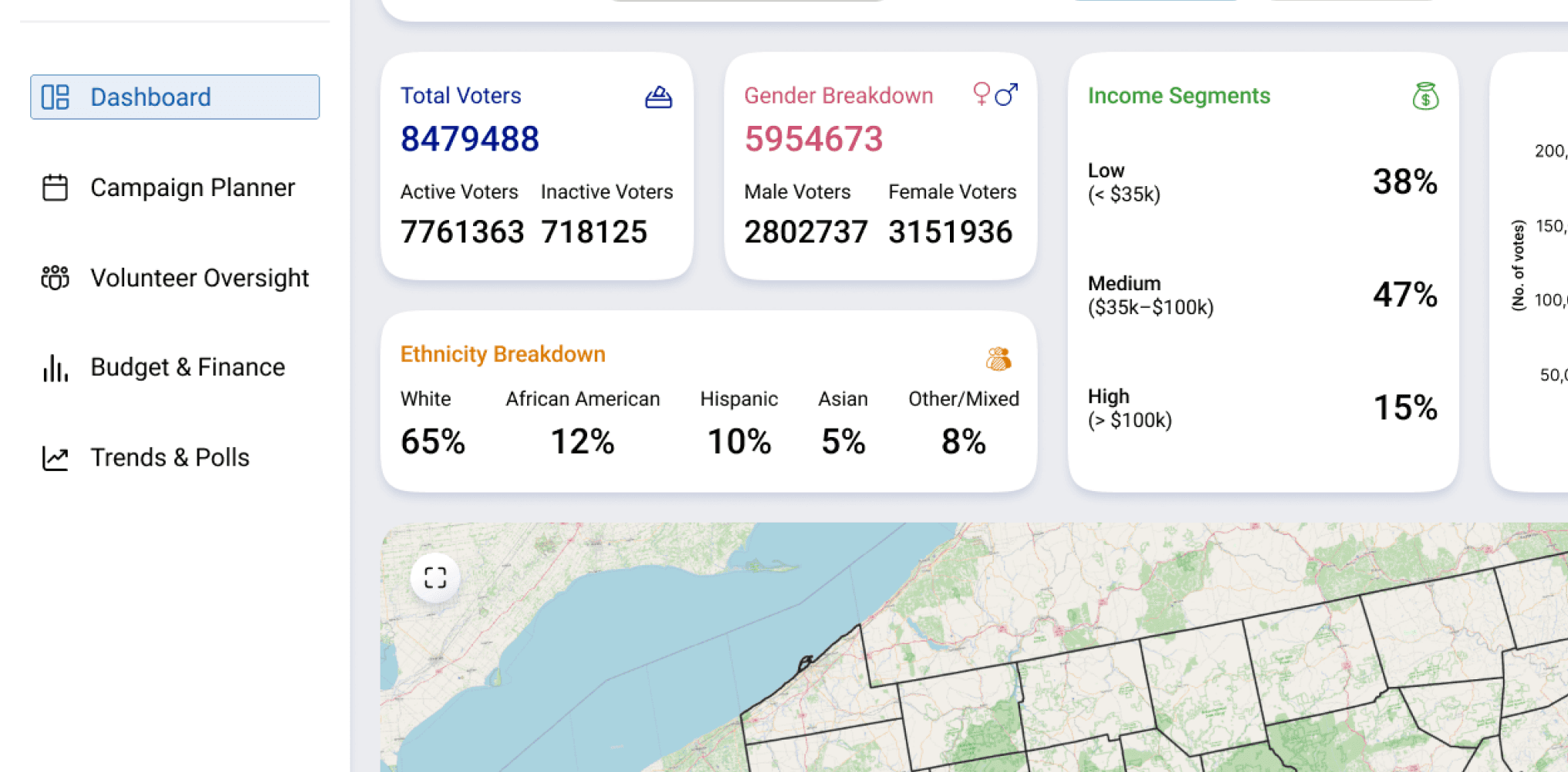
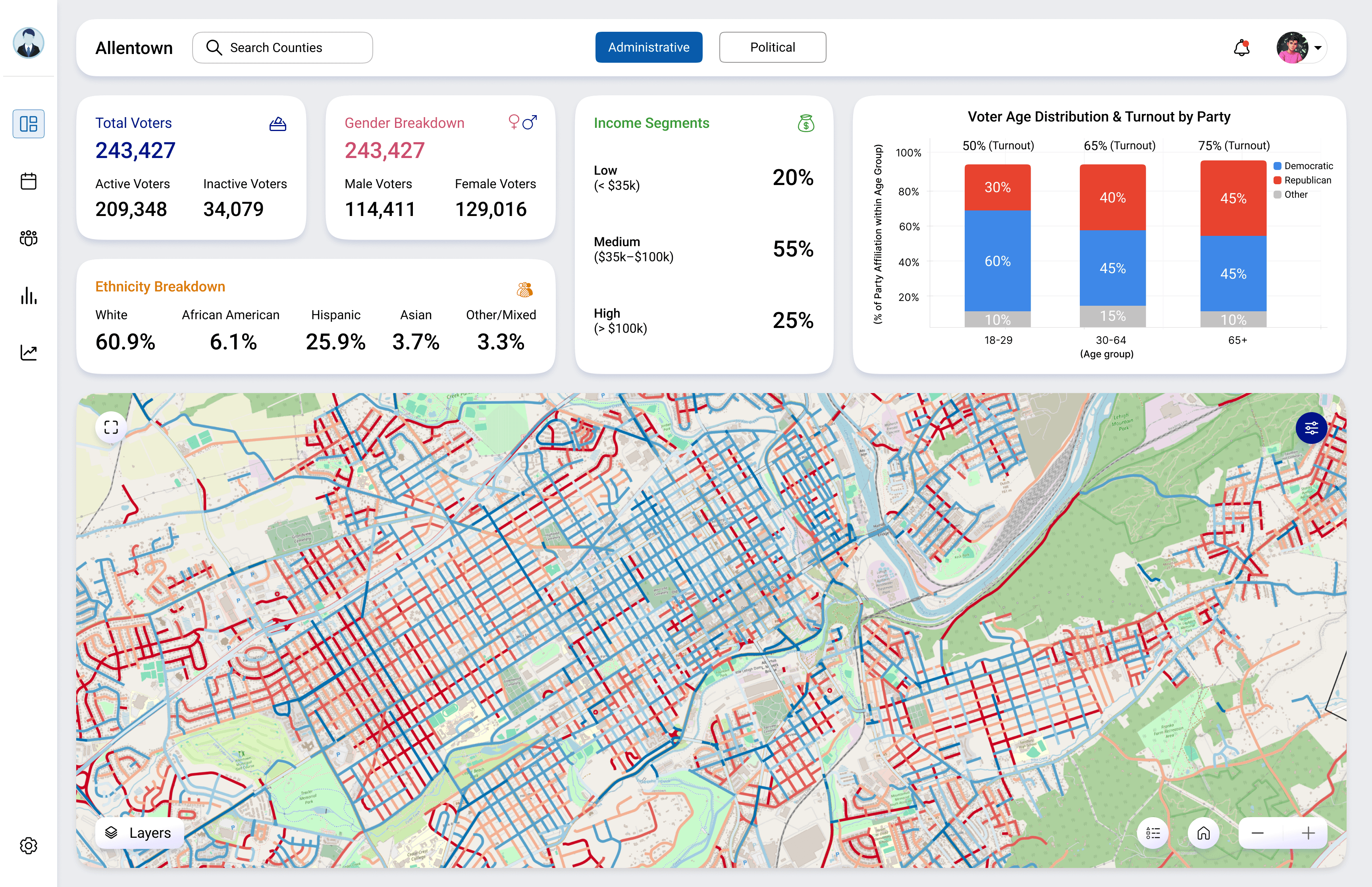
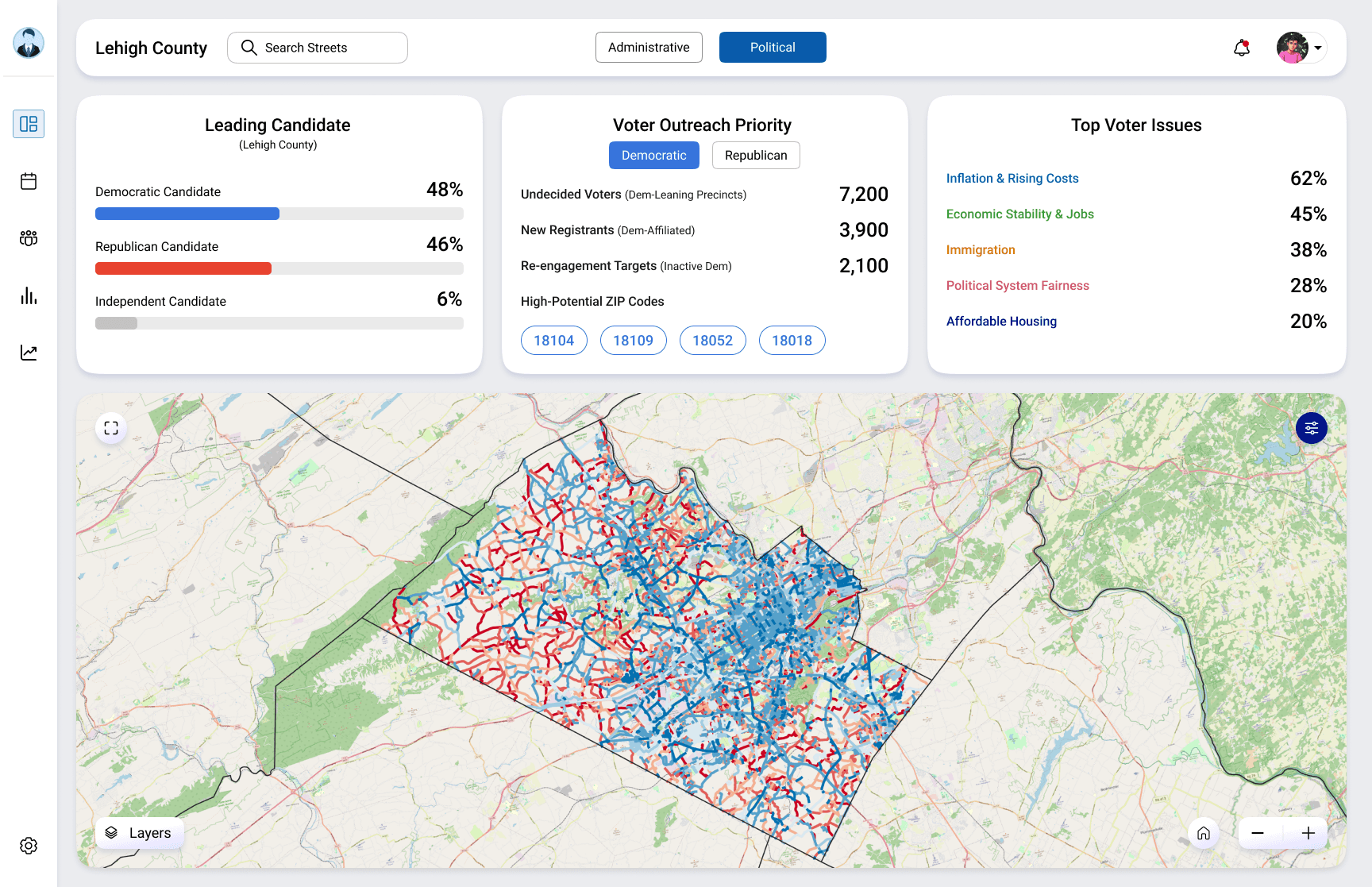
A neutral, role-based dashboard with 5 clear sections
Dashboard overview
Campaign Planner (Calendar)
Volunteer Oversight
Budget & Finance
Trends & Polls
Lehigh County
Search Streets

Administrative
Political

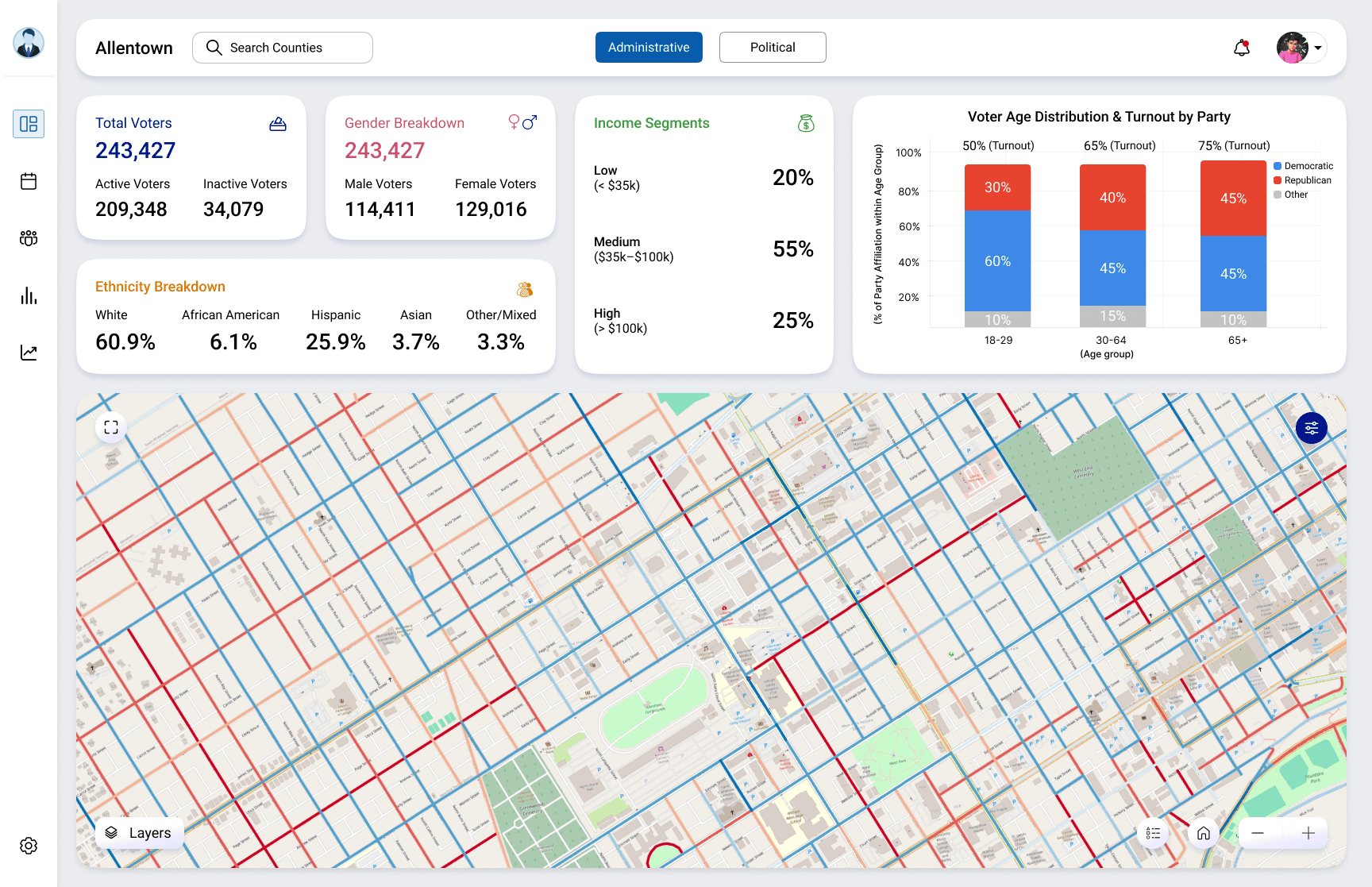
Voter Overview
Gender breakdown
Income segments
Ethnicity
Turnout by Age Group
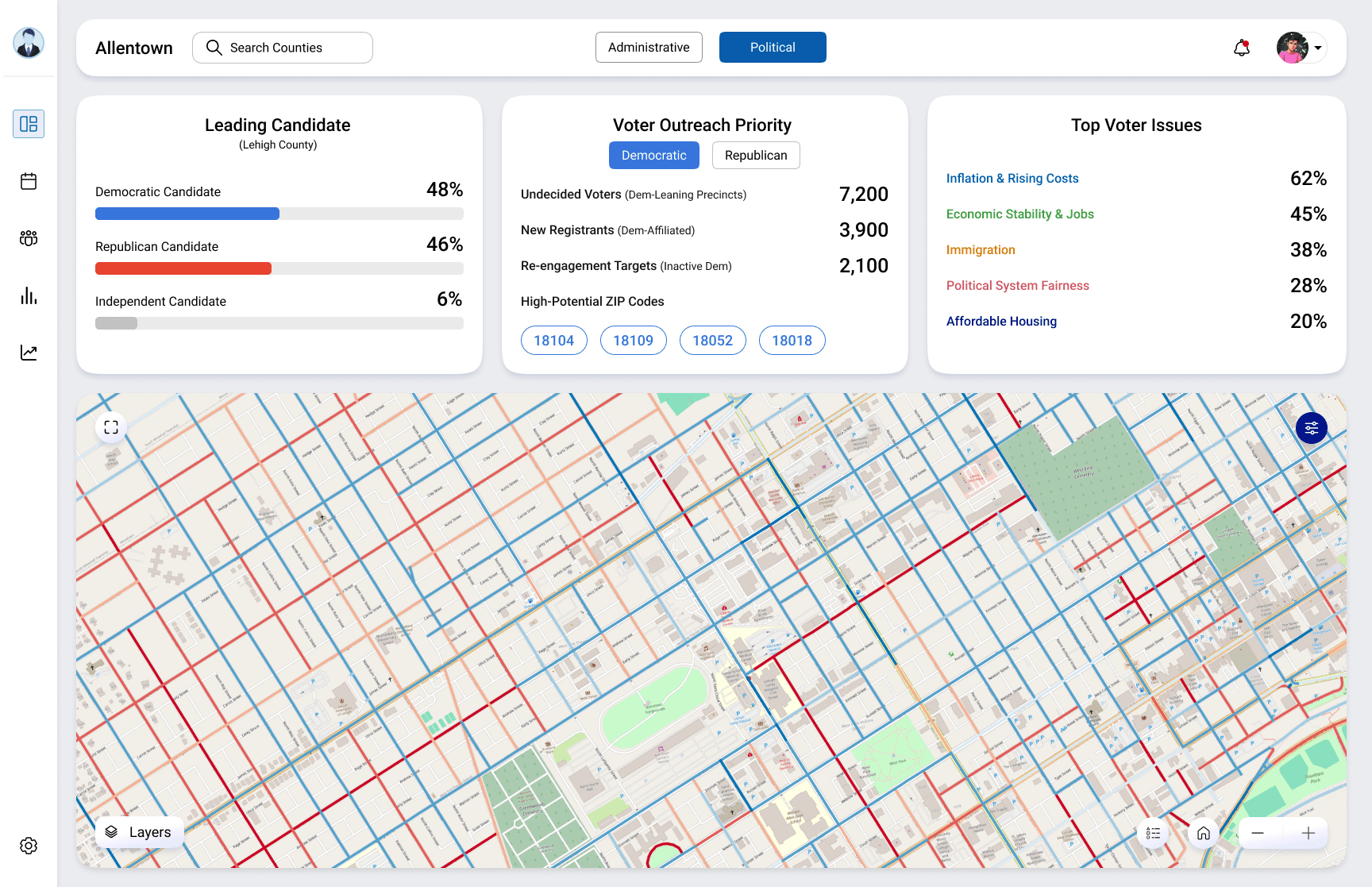
Leading candidate
Voter outreach priority
High-potential ZIP codes
Top voter issues
Split administrative vs political views so managers can switch mindset without switching dashboards.
Enabled campaign managers to switch between operational and strategic insights without changing dashboards.
Administrative view
Political view
1
1
4
4
2
2
3
3
5
Core Interaction: Street-Level Campaign Insights
Show:
Street-level interaction remained the core workflow, enhanced with clearer political and geographic context.
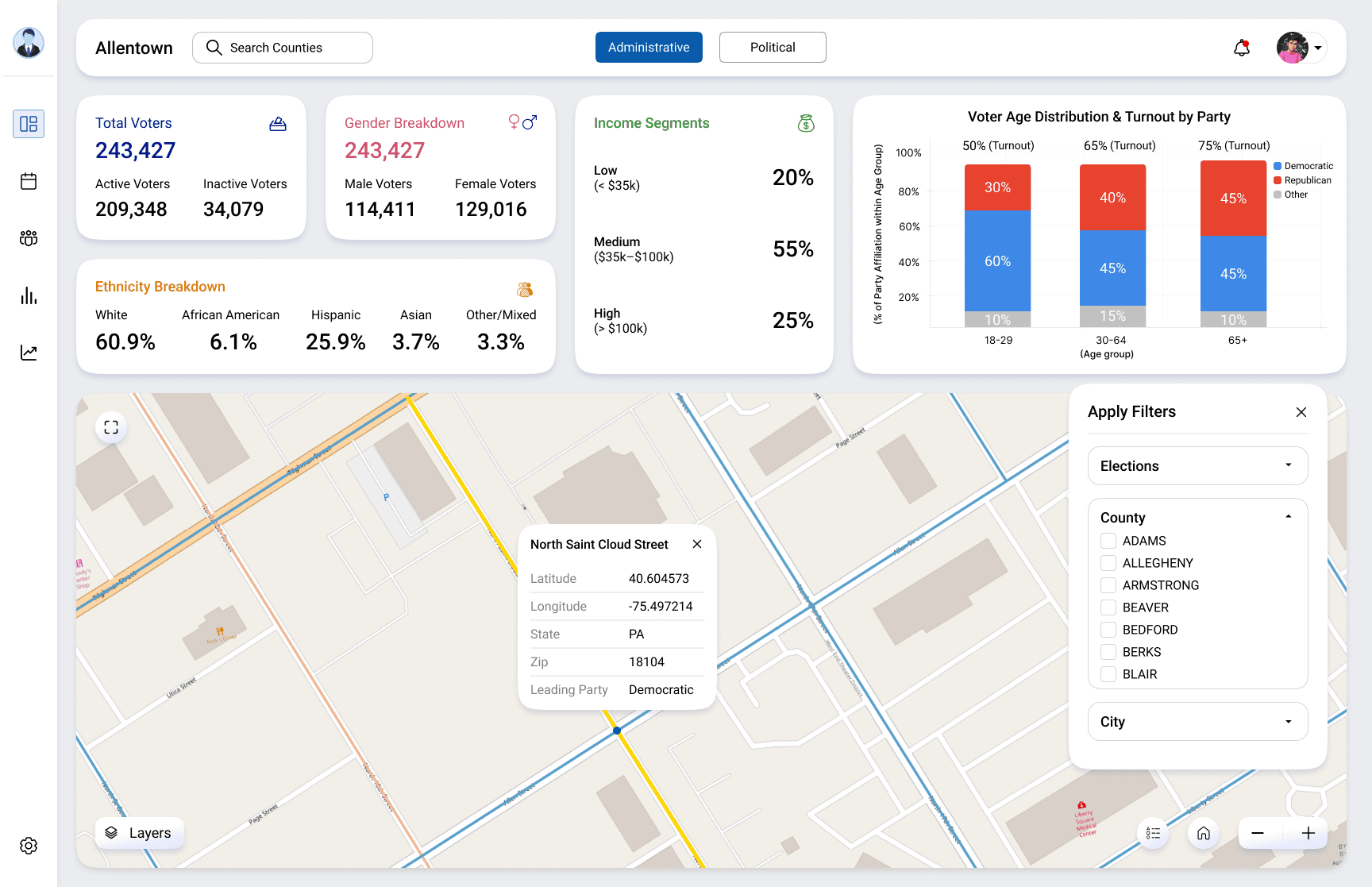
Clicking on streets
Street tooltip (party dominance, ZIP, location)
Filters (county, city, election)
Data-backed KPIs
Street-level GeoJSON data was provided from previous dashboards
For KPIs, charts, and metrics:
I used AI-assisted research (ChatGPT) to generate close-to-real, contextual data
This helped me design realistic dashboards, not empty UI
The focus was on believable, logical data visualization, not fake placeholders.

Campaign Planning & Scheduling
Enabled campaign managers to plan rallies, canvassing, debates, and media events in one place
Reduced dependency on external tools for scheduling and coordination
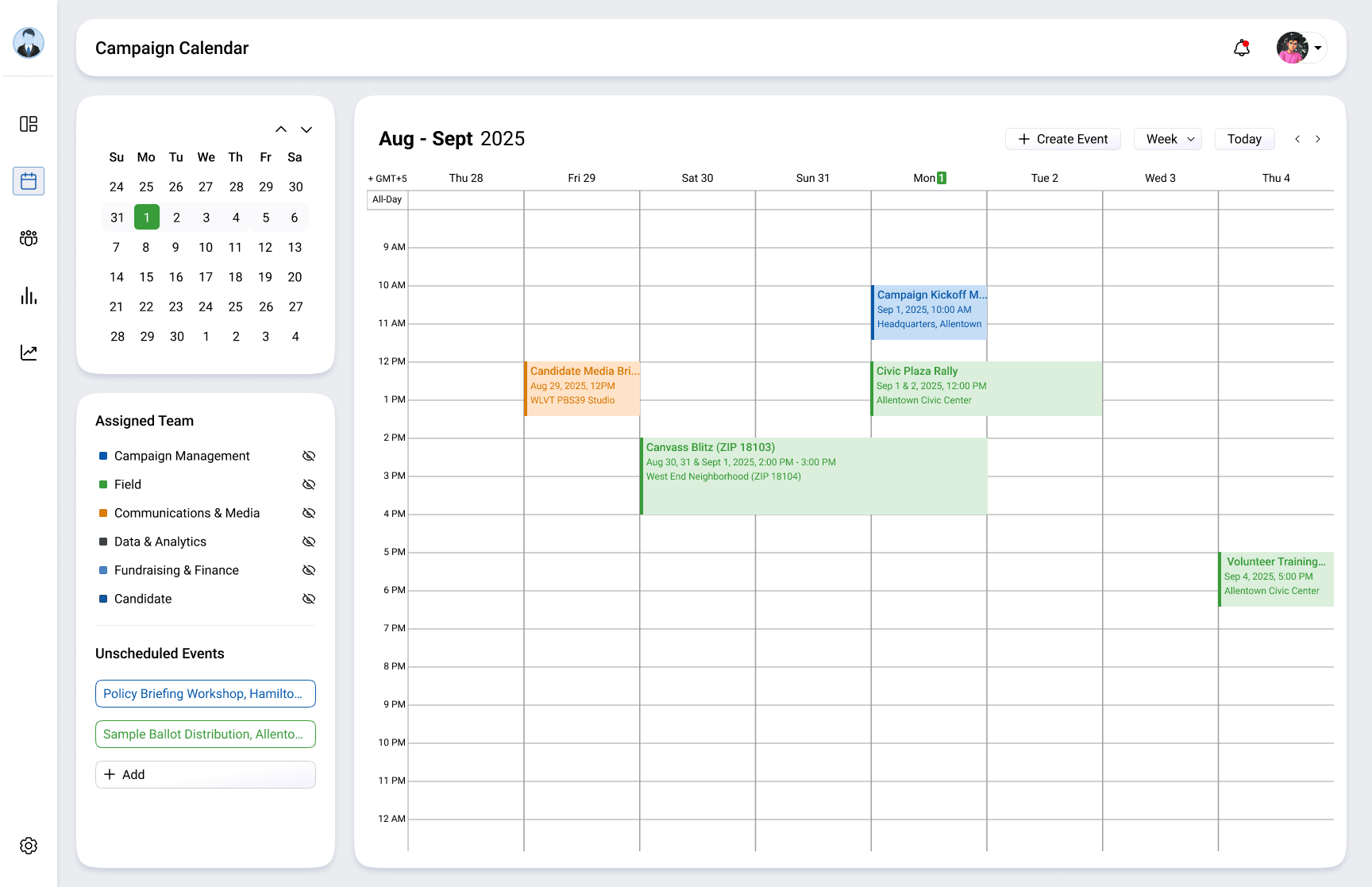
Day, week & year calendar view
Create event modal
Assigned teams
Volunteer Oversight & Operations
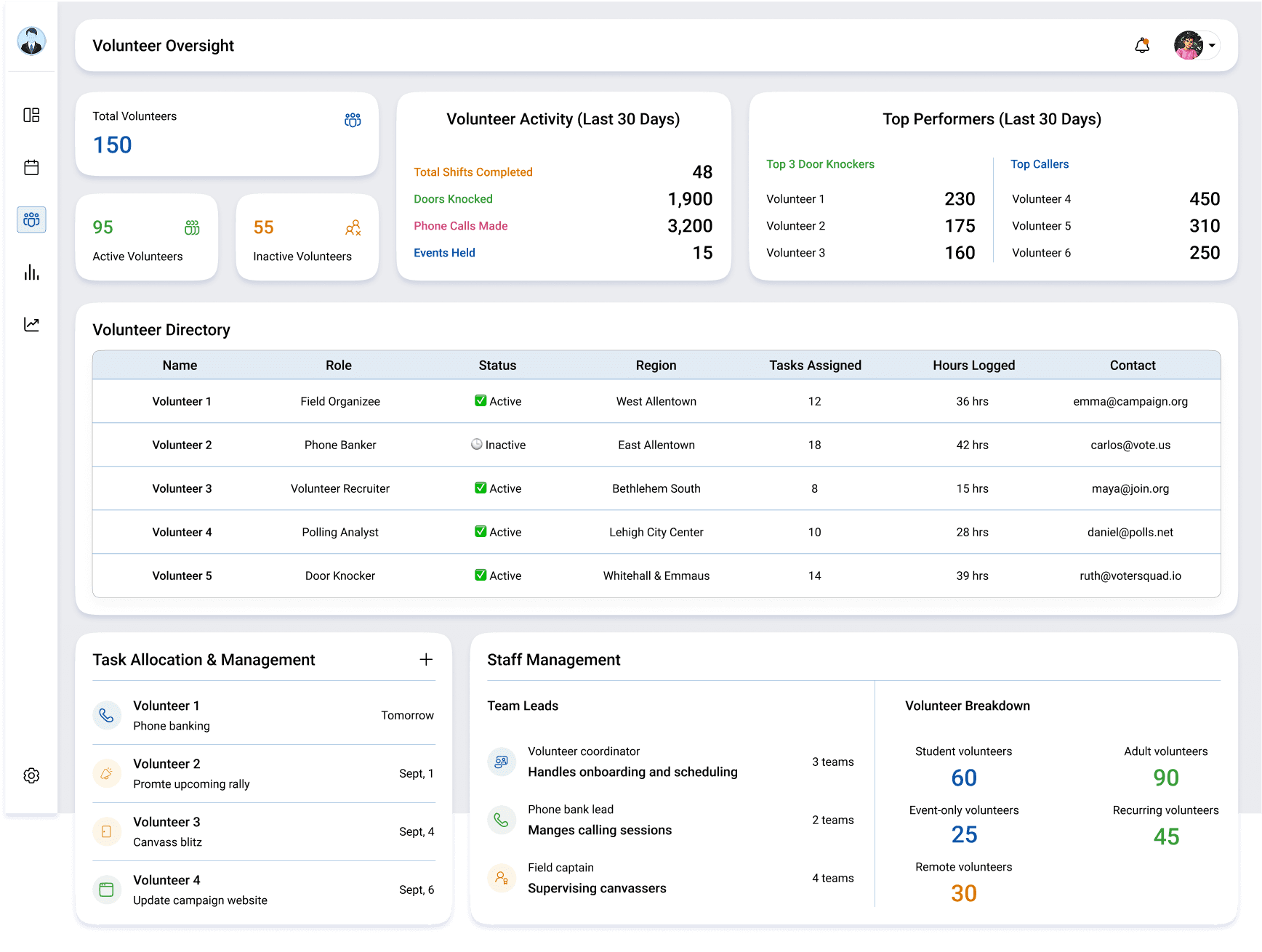
Volunteer KPIs
Activity summary
Directory + task allocation
Budget & Finance Overview
Data shown is simulated using AI-assisted research to reflect realistic campaign finance patterns.
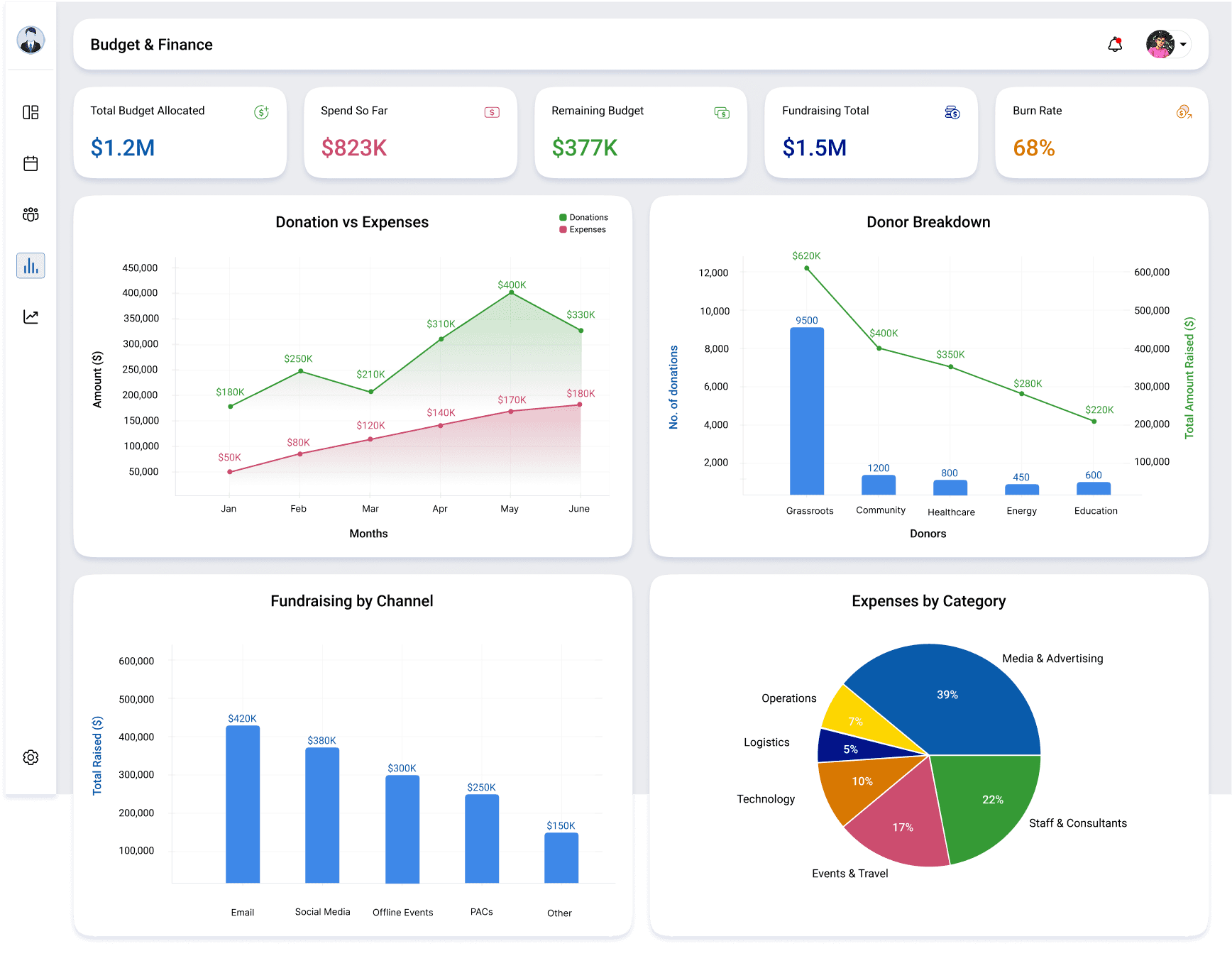
KPI row (budget, spent, remaining, burn rate)
Charts (Donation vs Expenses, Donor Breakdown, Fundraising by Channel Expenses by Category)
Trends & Polls Analysis
Designed to help managers identify momentum and risk areas using historical and polling data.
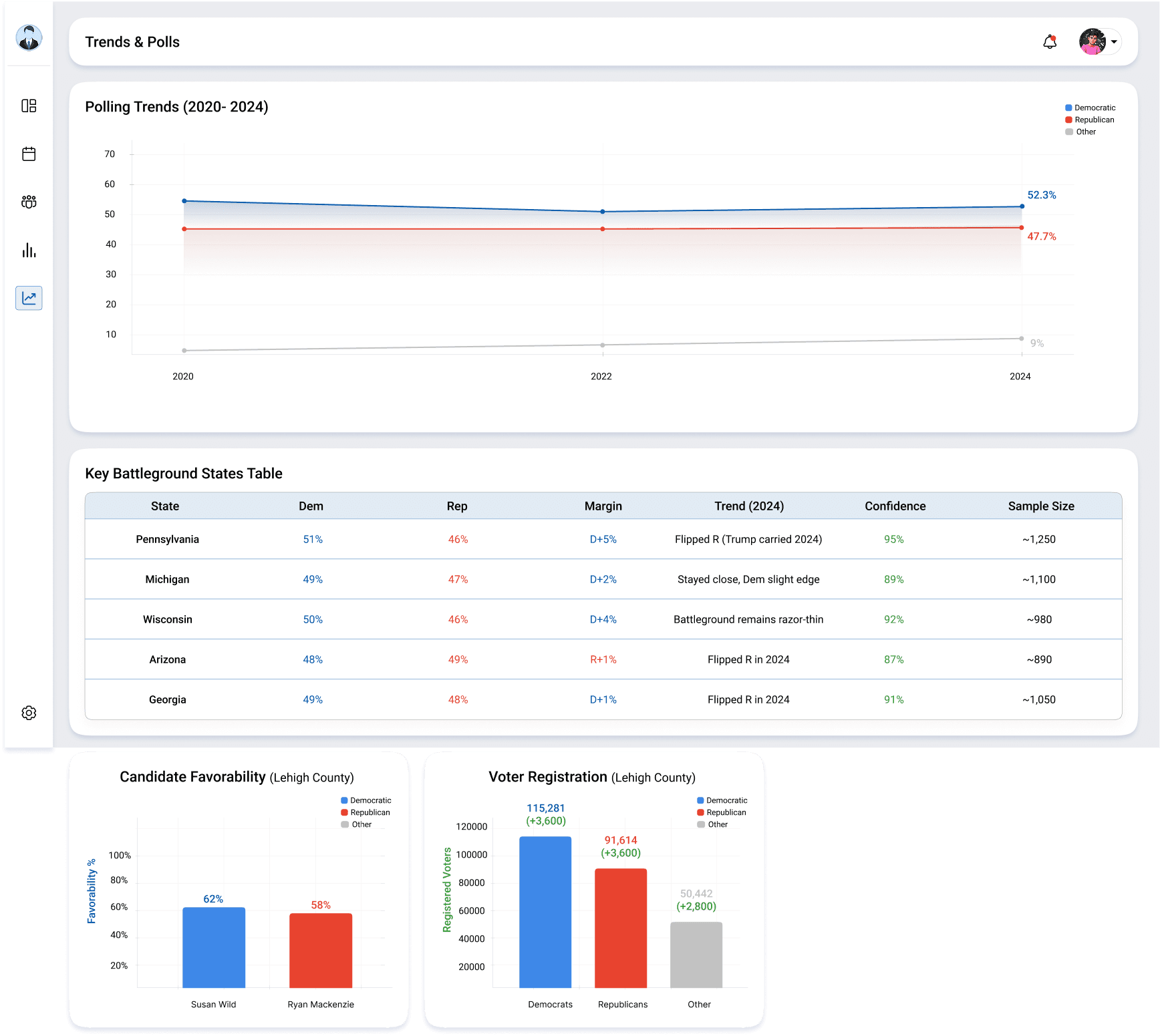
Polling trends line chart
Battleground states table
One local chart (favorability or registration)
Candidate Dashboard (Web)
Designed as a read-only, simplified experience as they don’t need dashboards they need direction.
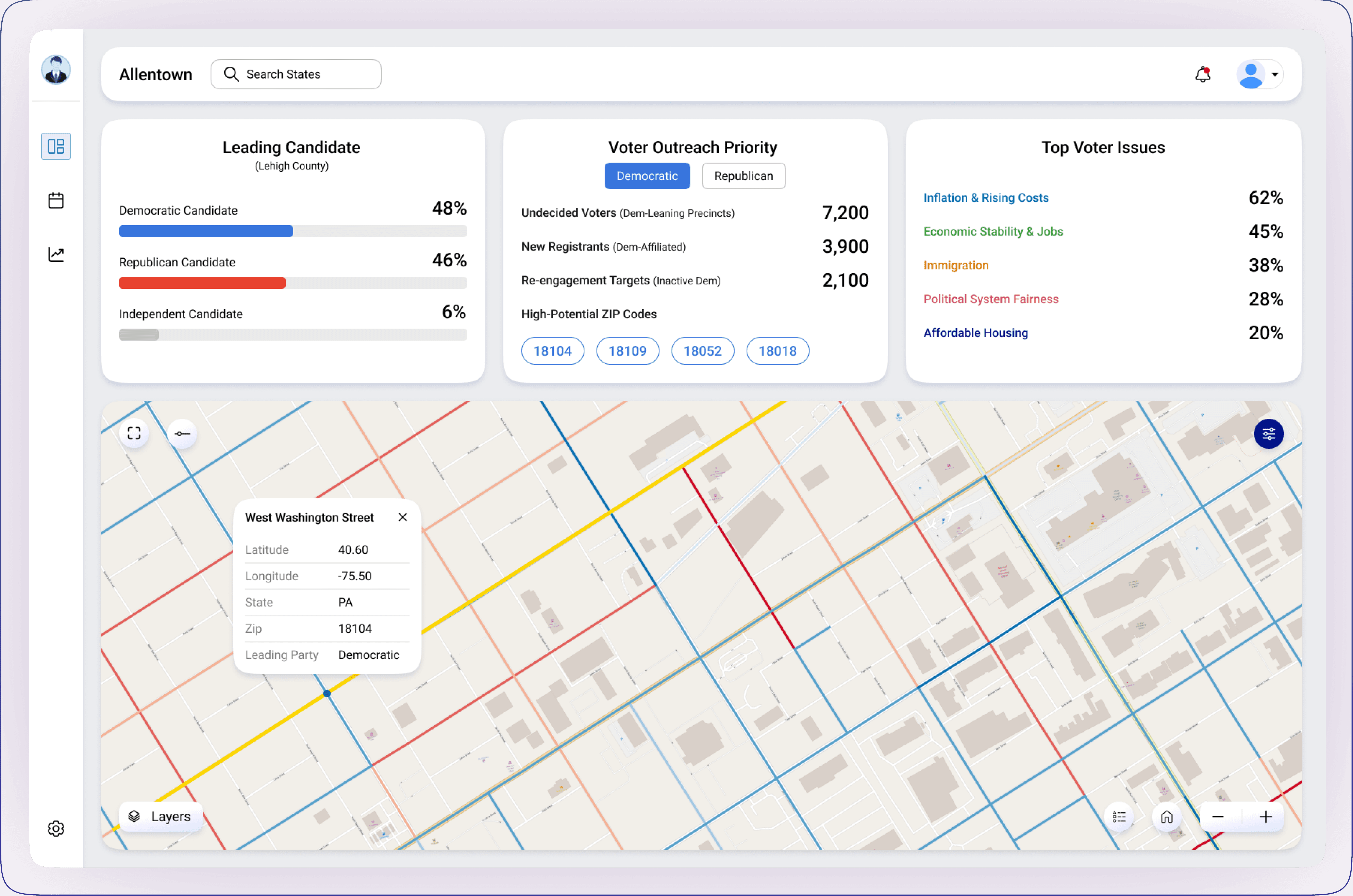
1
2
3
Leading candidate overview
Voter outreach priorities
Top voter issues
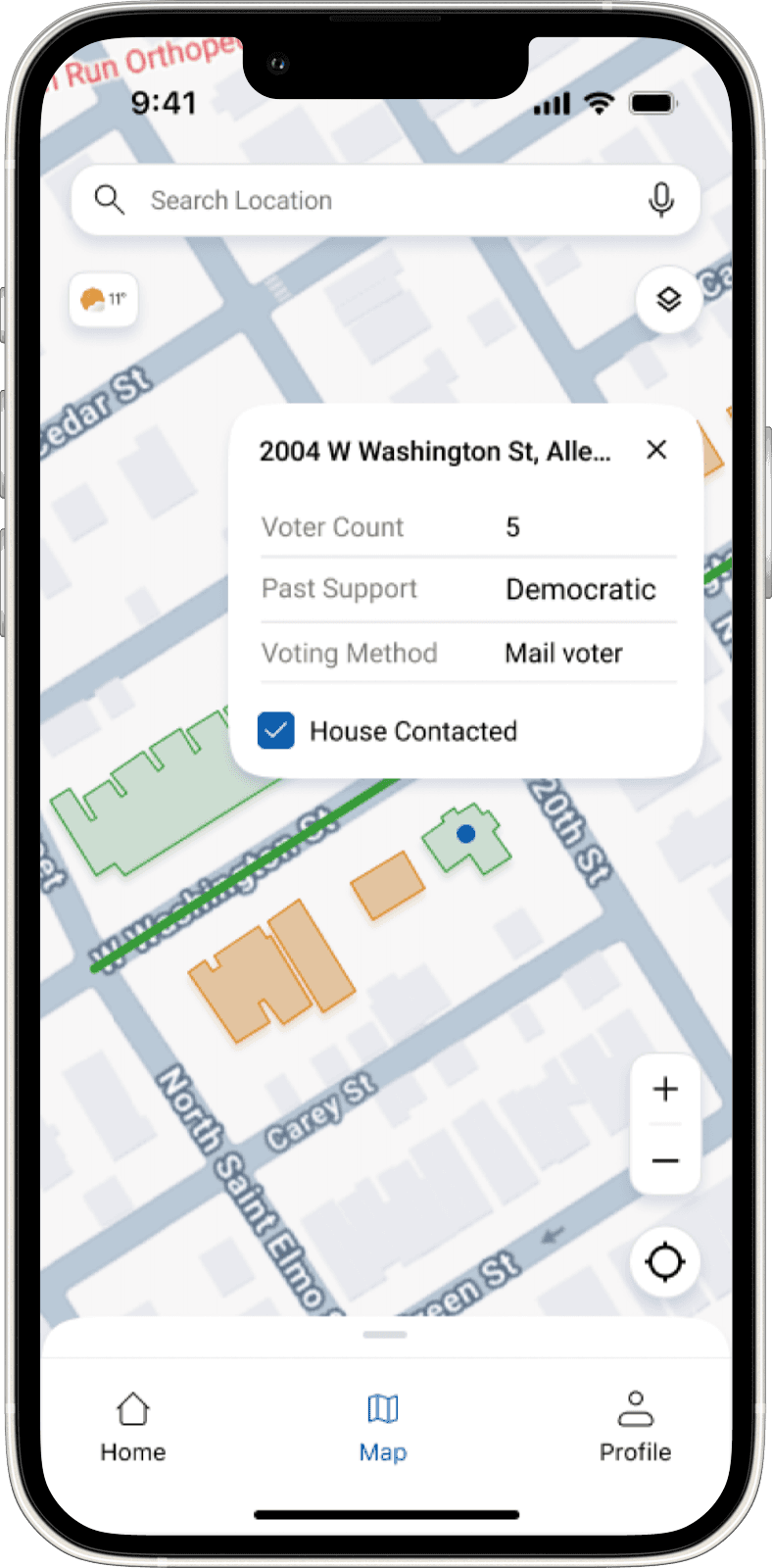
Volunteer Experience (Mobile)
Designed for field execution, not analysis:
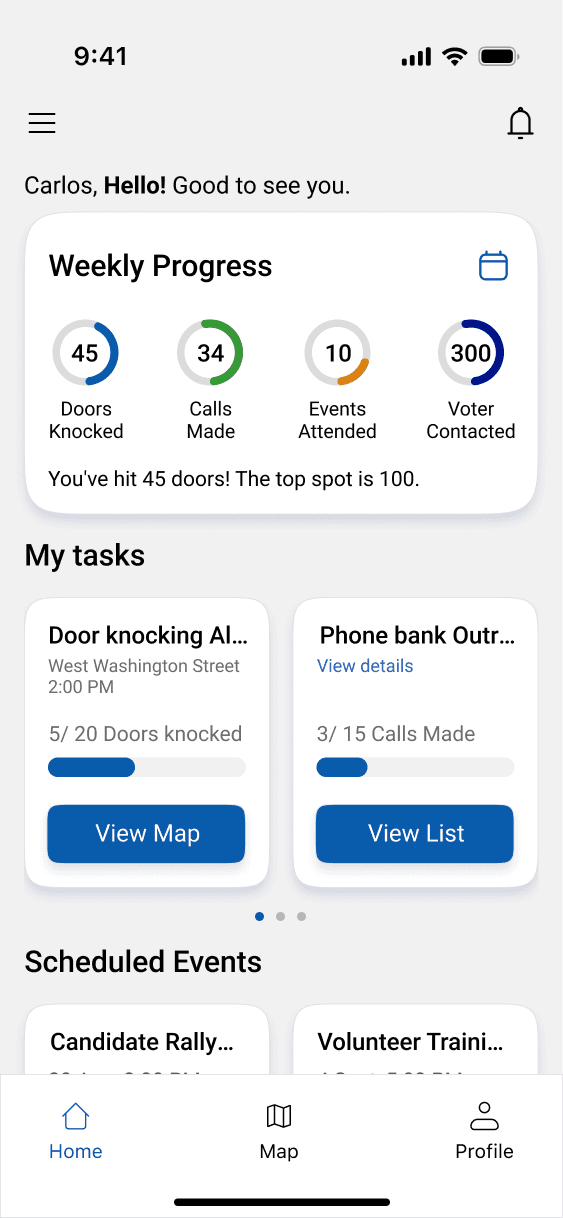
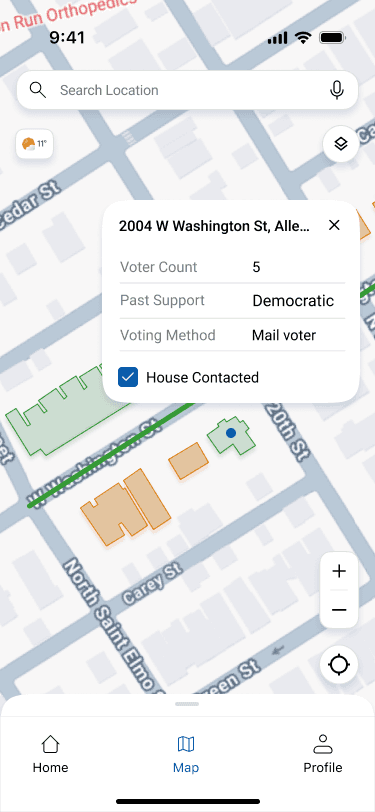
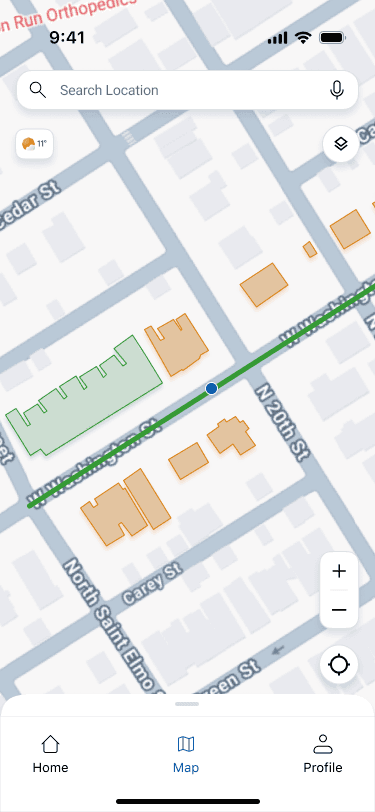
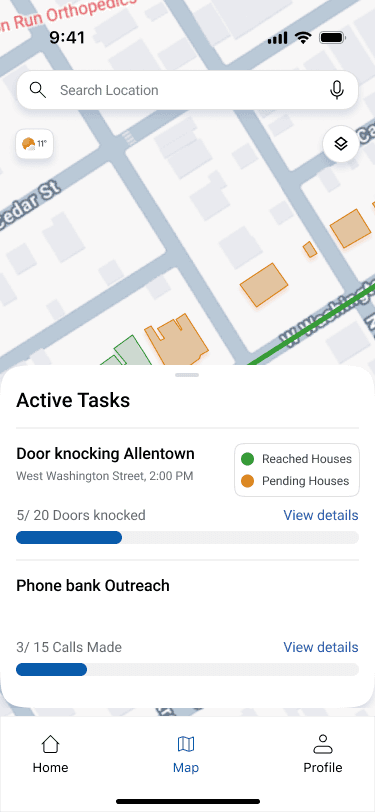
Weekly progress overview
Door-to-door navigation
Active tasks with map
One-tap “House Contacted”
Before vs After
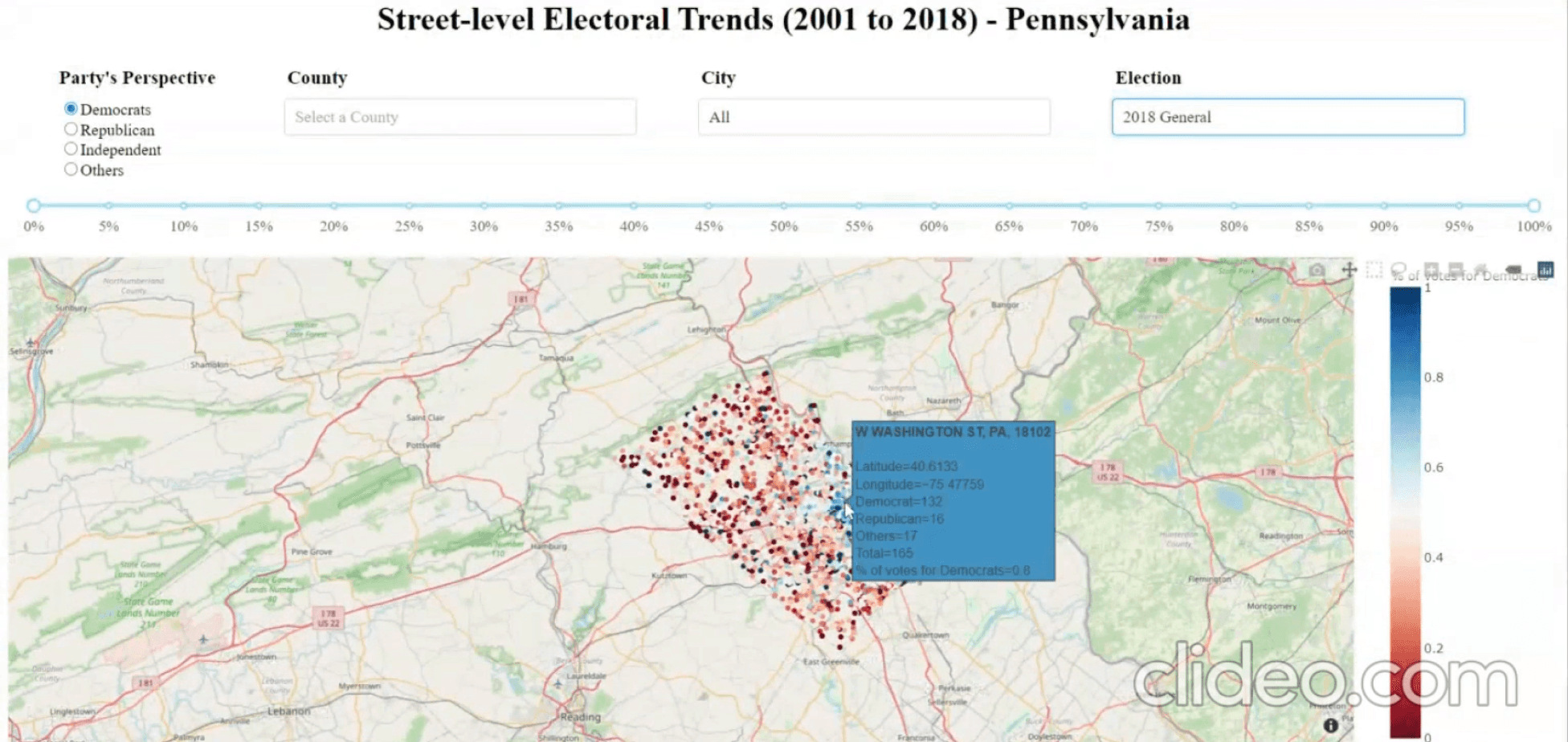
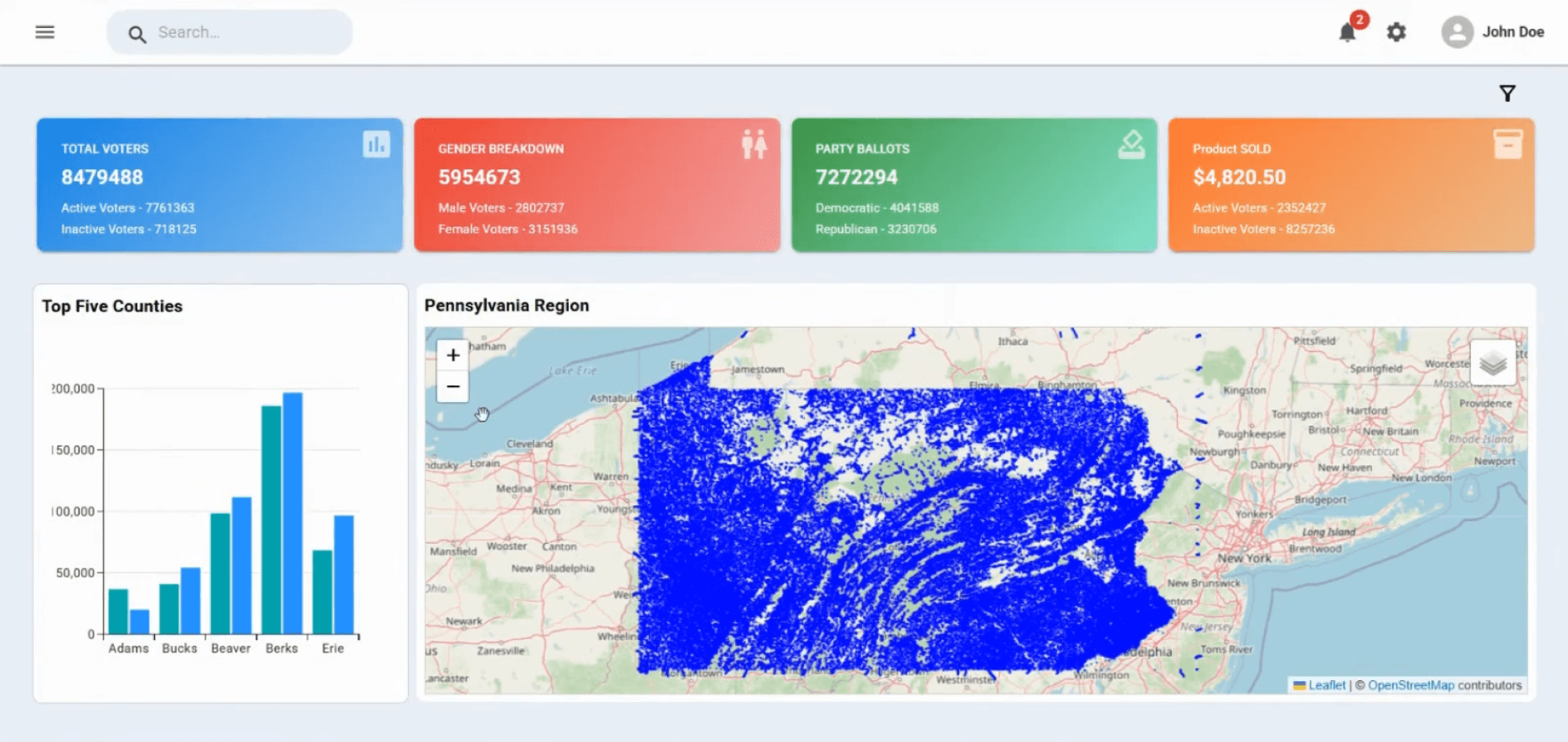
Old Dashboards
Redesigned Dashboard
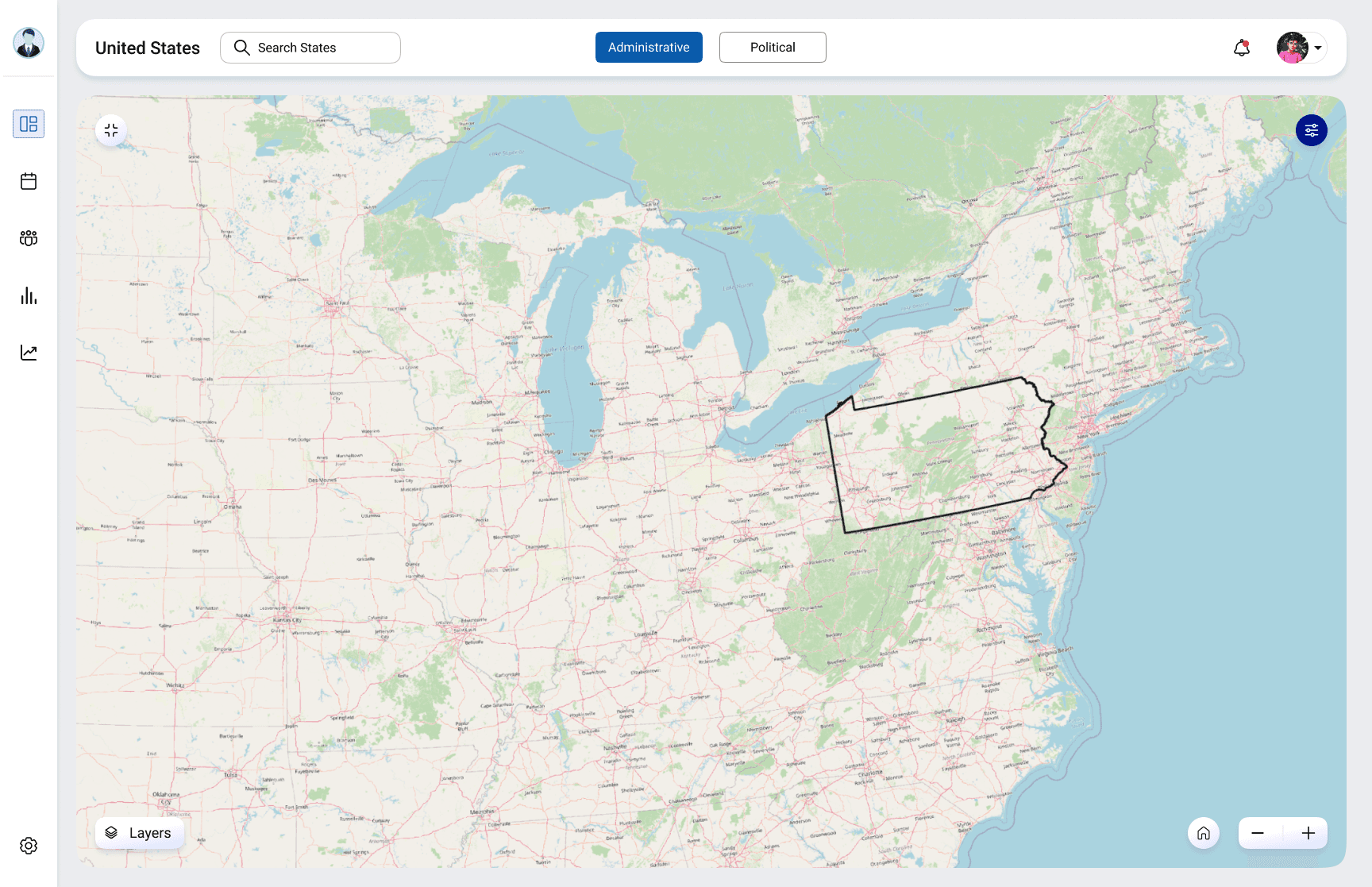
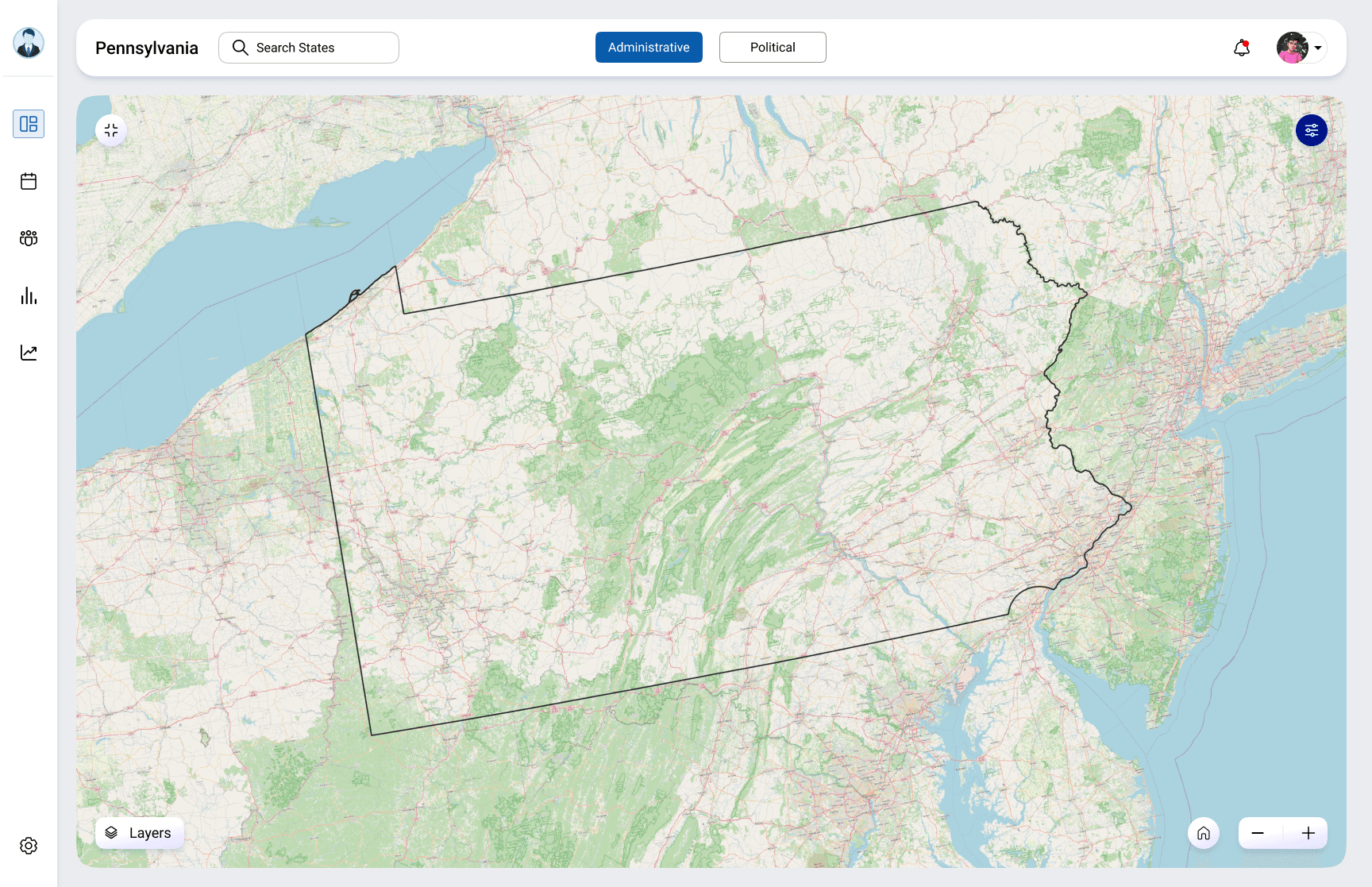
Outcome
Key Learnings

Made political insights instantly readable through clear street-level visual cues
Visual cues communicate faster than filters

Elevated perceived product maturity and trust

Dashboards should guide decisions, not explain data
Delivered a pitch-ready, neutral election platform

Maps need meaning, not density
Improved clarity and focus using role-based dashboards

Role-based UX simplifies complex systems effectively
Thanks for taking the time to view this case study.
I’m always open to feedback and discussions around design.