


LaoTel Network Operations Dashboard
Redesigning a telecom monitoring system for faster decisions
Project Overview
LaoTel operates and maintains telecom towers across Laos. During my UI/UX Design Internship, the CEO and Solution Manager assigned me my first project on Day 1 to redesign Lao Telecom’s existing network monitoring dashboard.
The dashboard had already been sold to clients and used internally for a few years. While it was technically powerful, its user experience and visual design no longer matched modern enterprise standards. The objective was to redesign the UI to improve clarity, usability and presentation quality, so it could be used as a company portfolio and pitching tool for future clients.
UI UX Design Intern

Role:
Internal Product Redesign

Project Type:
Web Dashboard

Platform:

Company
Lao Telecom

Domain
Telecom Network Operations

Objective
UI UX Modernization
Time Constraints
2 weeks

Understanding the Existing System
Handled complex telecom network data
Provided detailed site-level information
Supported map-based network monitoring
Enabled operational visibility across regions
Existing system capabilities
What works well
No quick KPI overview
High cognitive load
Weak visual hierarchy & Outdated UI
Alerts not immediately noticeable
UX & usability limitations
What Was Missing



UX Problems (Deep Dive)
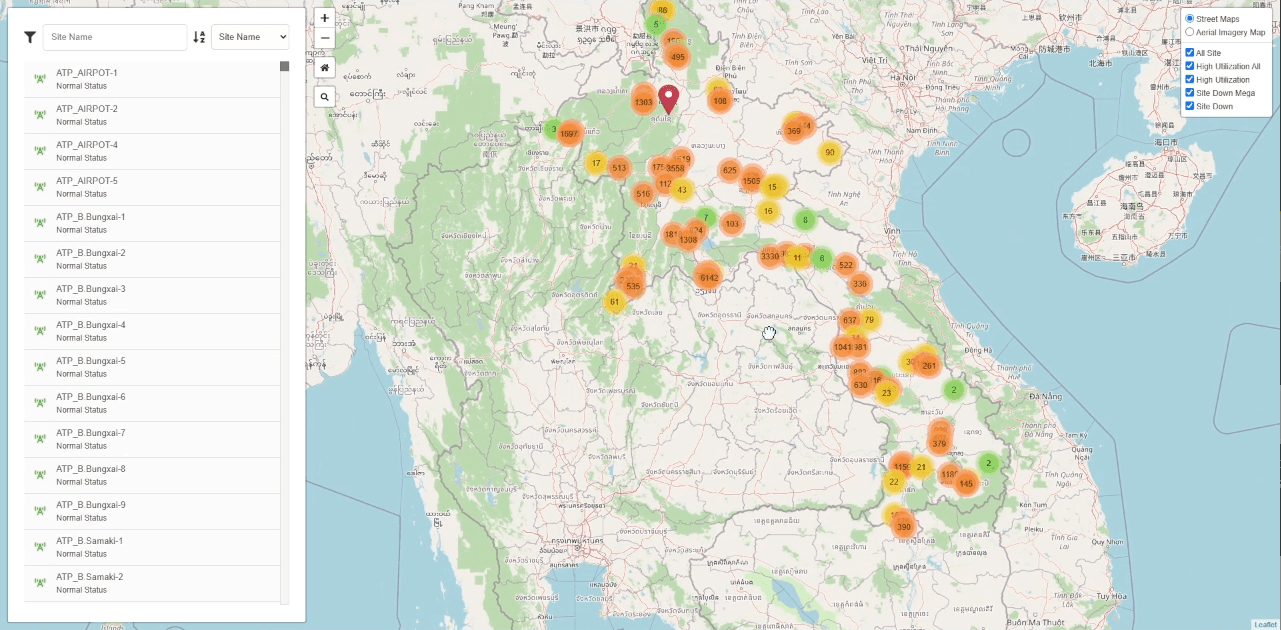

Identifying usability and clarity issues in the existing dashboard

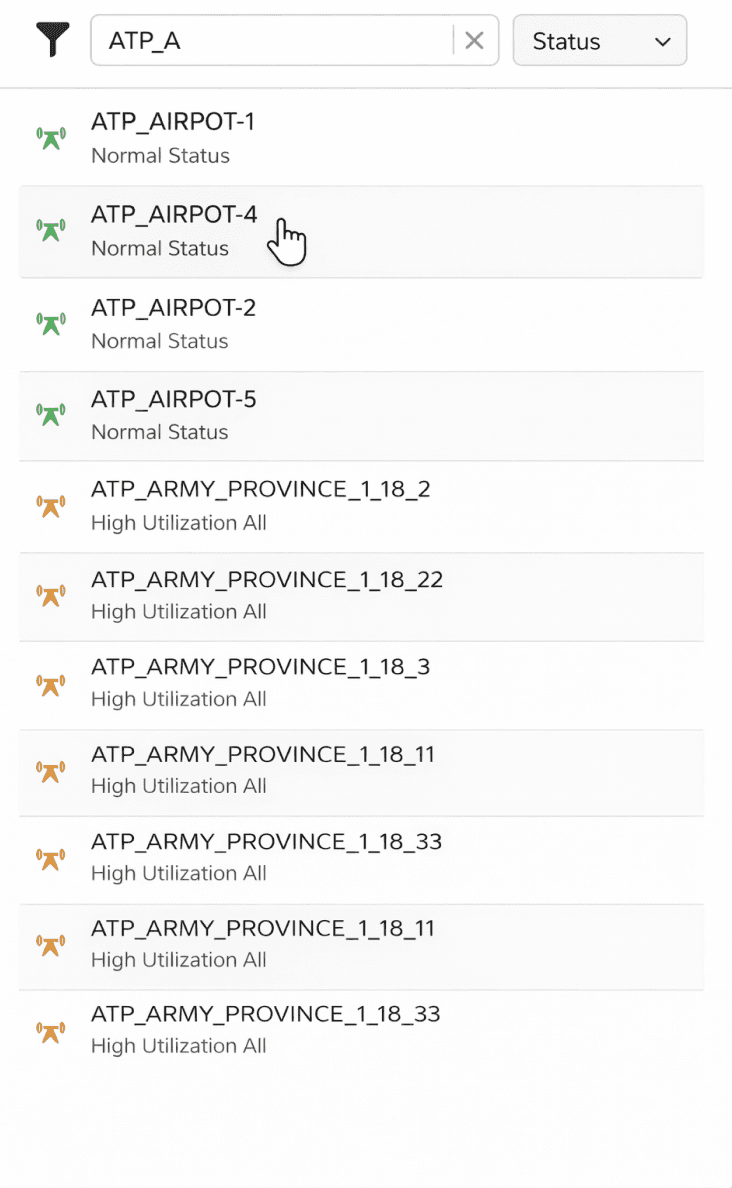
Critical sites lack prioritization
Alerts lack urgency cues
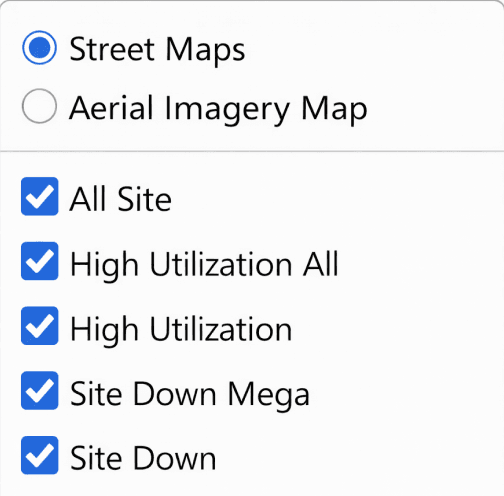
Filtering lacks visual guidance
Problem
No visual prioritization
Text-heavy site list
Equal visual weight
Problem
Alerts not emphasized
No urgency cues
No notification indicators
Problem
Text-only filters
Requires domain knowledge
No visual status cues

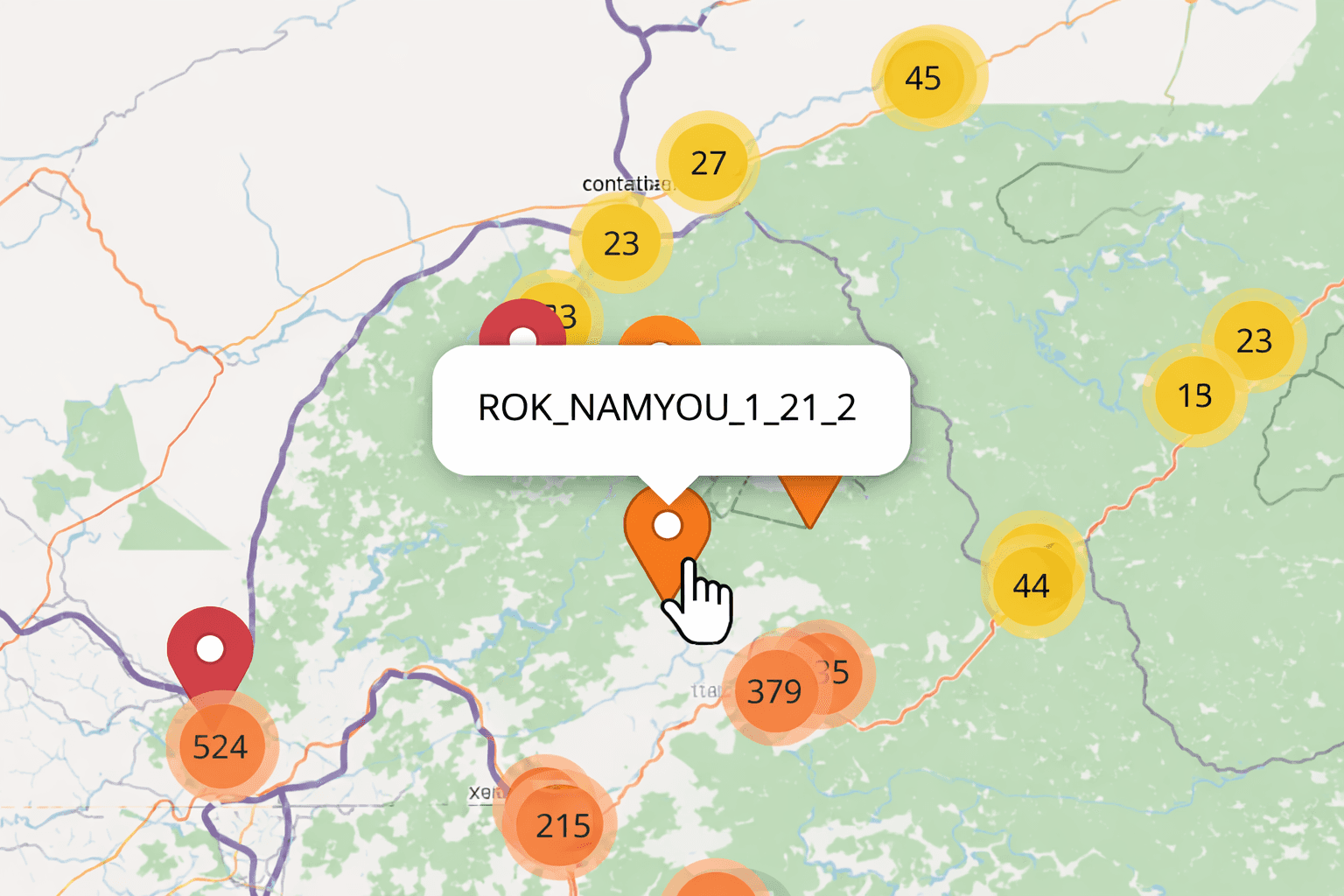
Map shows data, not network health
Problem
Too many markers
No instant insight
Legend-dependent colors
Problem Statement
The existing dashboard handled complex telecom data well, but did not support quick understanding or decision-making.
Key Challenges
Network health was not visible at a glance
Critical towers were hard to identify quickly
Decision-making required too much exploration
Limited effectiveness for demos and presentations

Design Solutions

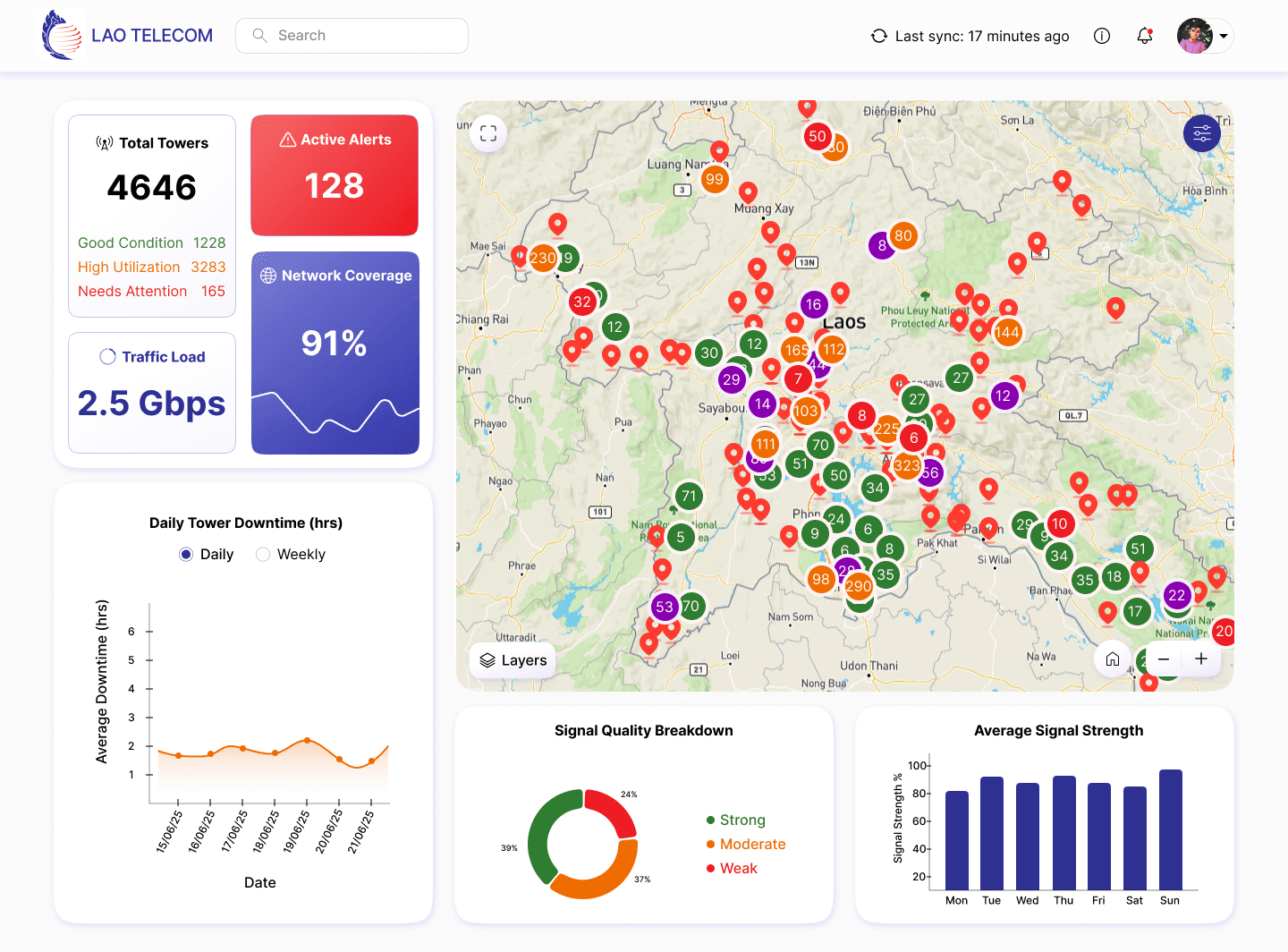
Traffic Load
2.5 Gbps
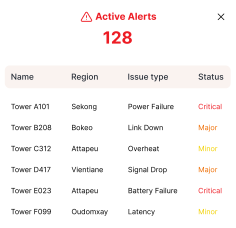
Active Alerts
128

Total Towers
4646
Good Condition
1228
High Utilization
3283
Needs Attention
165
Rishabh
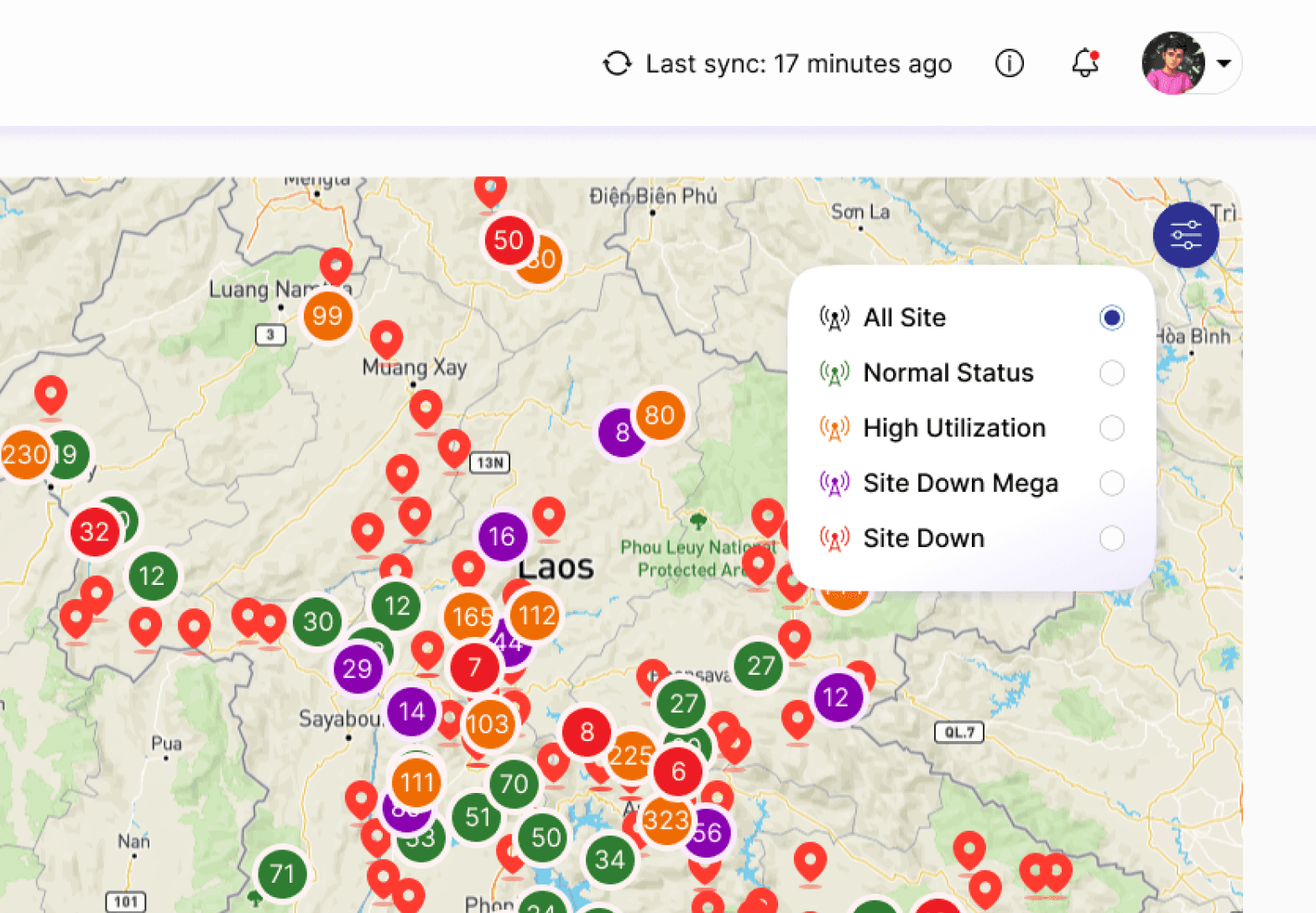
Instant Network Overview
Key KPIs summarize network health at a glance
Just one look|
Reduced Cognitive Load
Clear data hierarchy enables quicker understanding and decisions
It’s that simple|
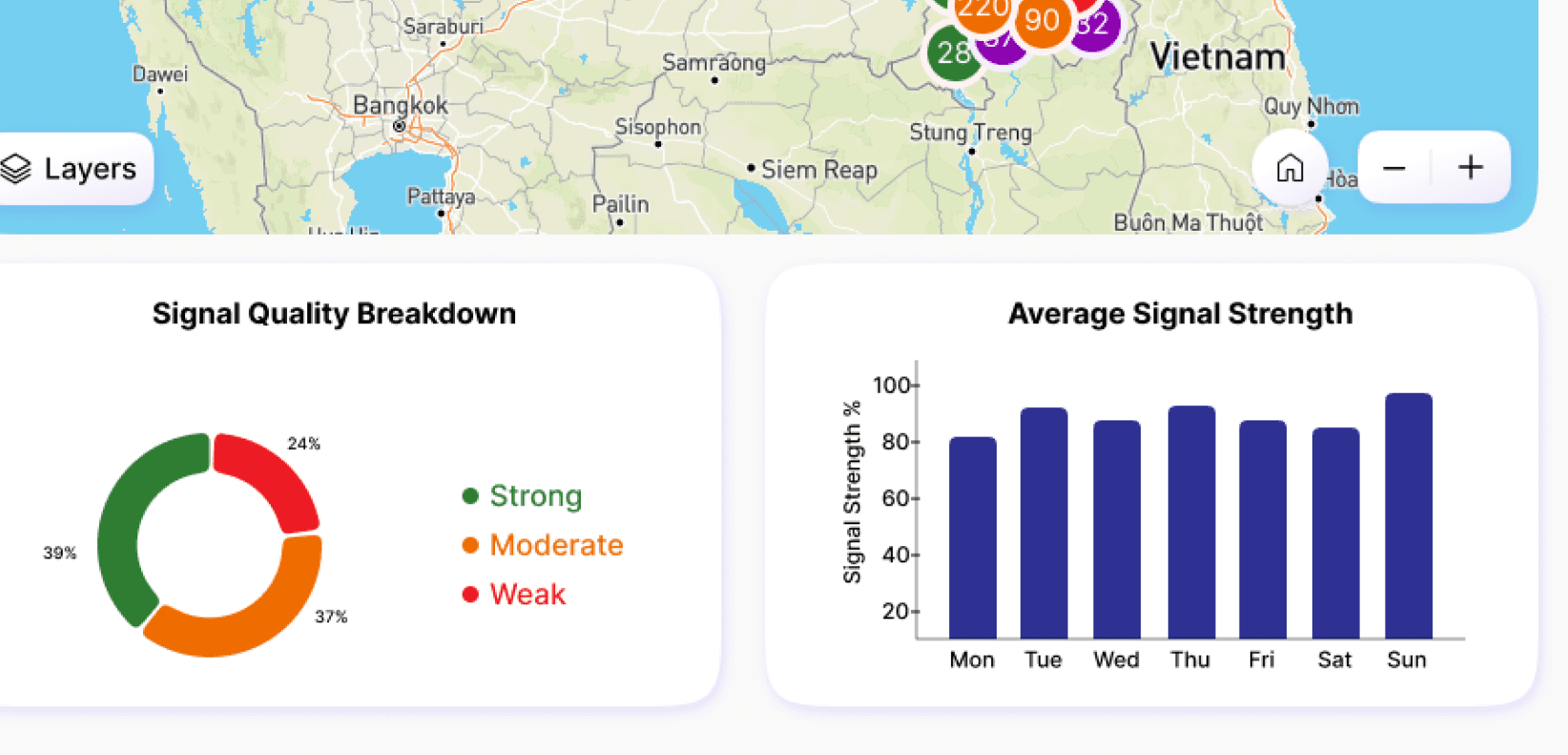
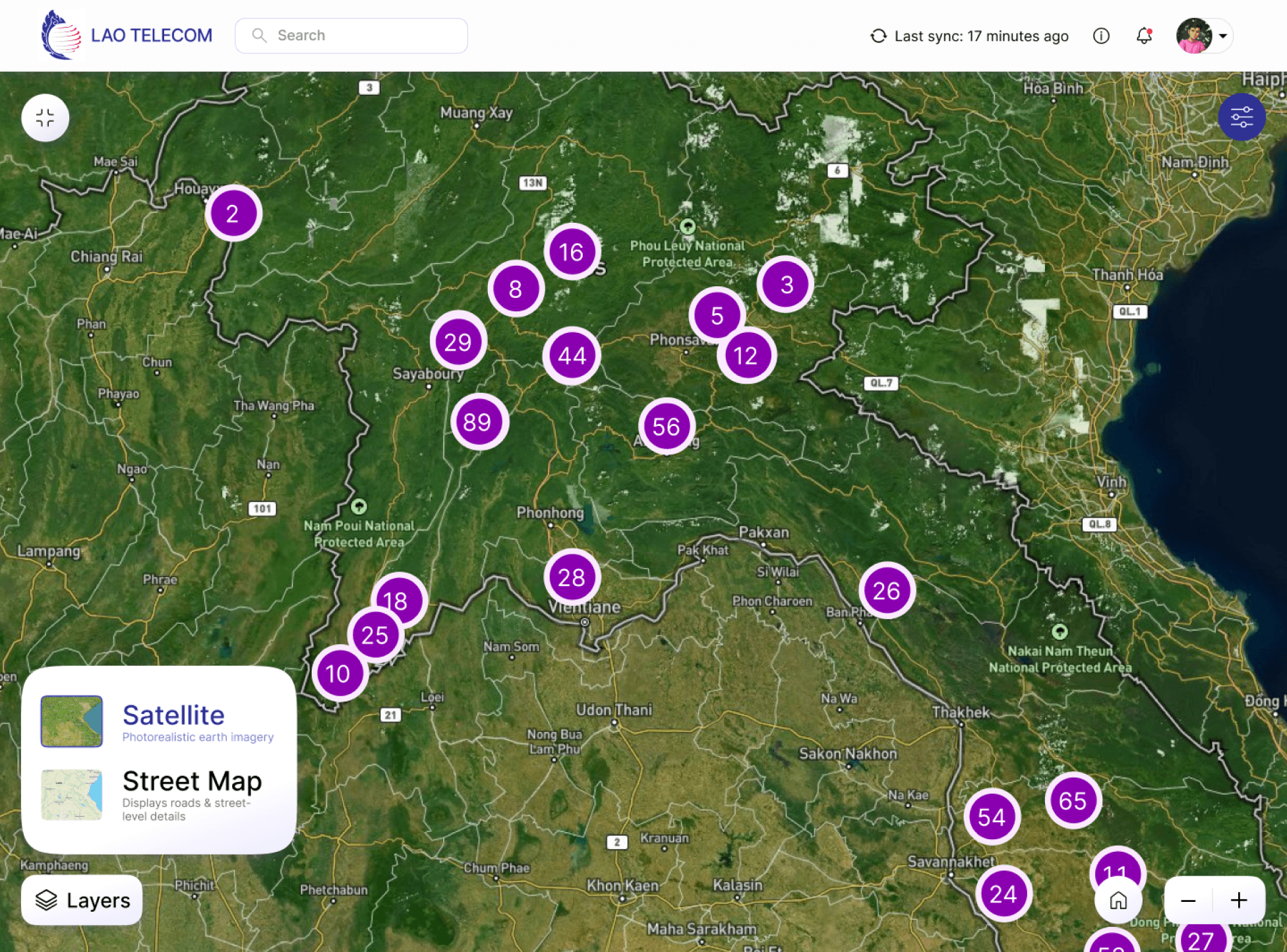
Clear Map & Status Filtering
Color-coded sites and filters make network conditions easy to scan
Downtime
(Today)
4h 2m
2.5 Gbps
Total Towers
394
Good Condition
128
High Utilization
254
Needs Attention
12
Alerts|
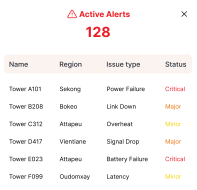
Clear Alert Prioritization
Highlights critical issues instantly
KPIs Upfront
Important metrics surfaced without extra clicks
Information Hierarchy & Decision Flow
Instant network health overview
KPIs
Locate issues geographically
Map
Identify trends and patterns
Charts
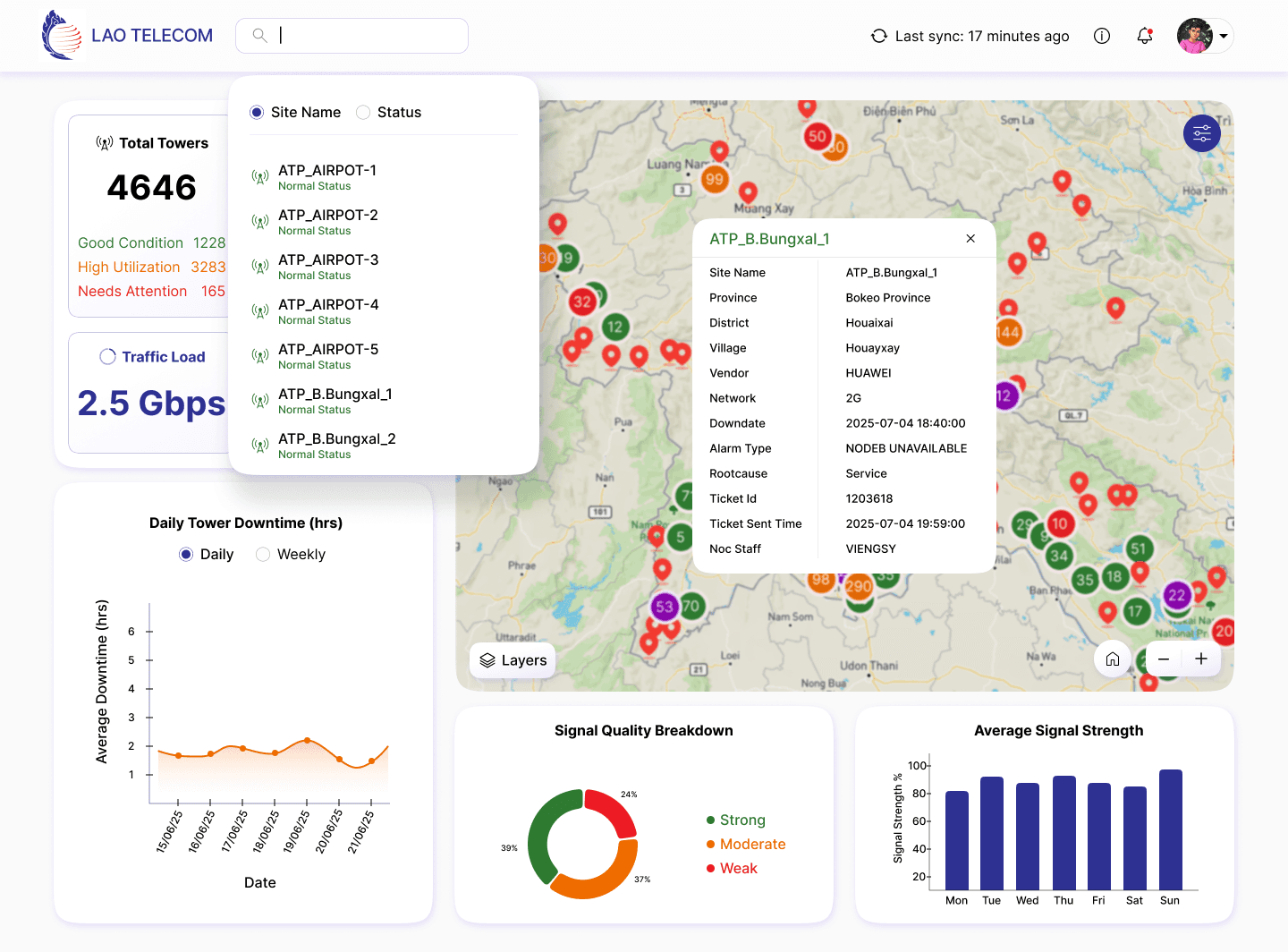
View tower-level details on demand
Technical details on demand
Design Foundations
Inter
Components

Built visual foundations aligned with Lao Telecom’s brand
Typography
Regular
Medium
Bold
12px
16px
21px
28px
38px
51px
Primary
#2E3192
Secondary
#ED1C24
KPIs component
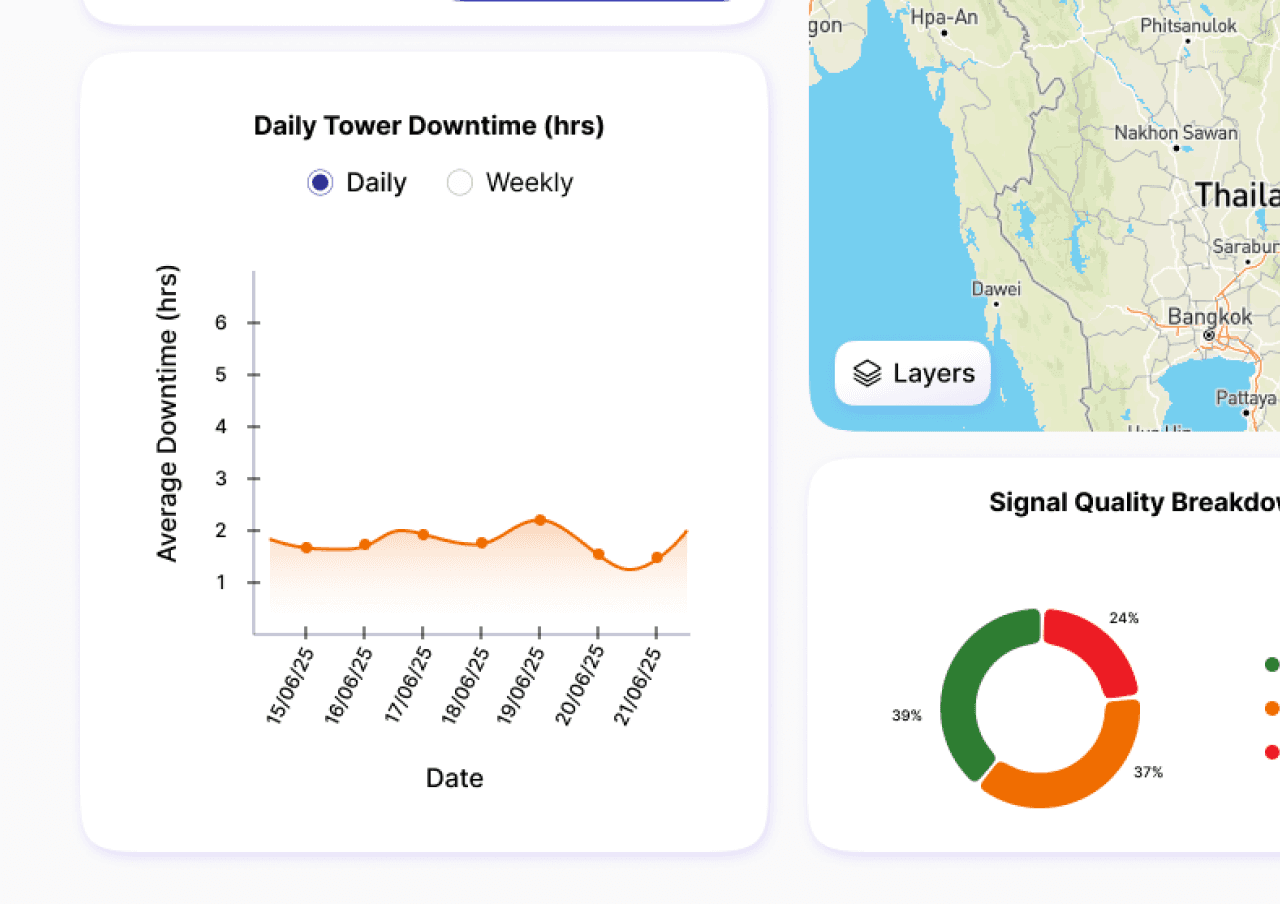
Daily & weekly downtime charts
Tower details
Popup
Key charts
Navigation bar
Map filter
Layers panel
Interactions
Average Downtime (hrs)
Date
1
2
3
4
5
6
15/06/25
16/06/25
17/06/25
18/06/25
19/06/25
20/06/25
21/06/25
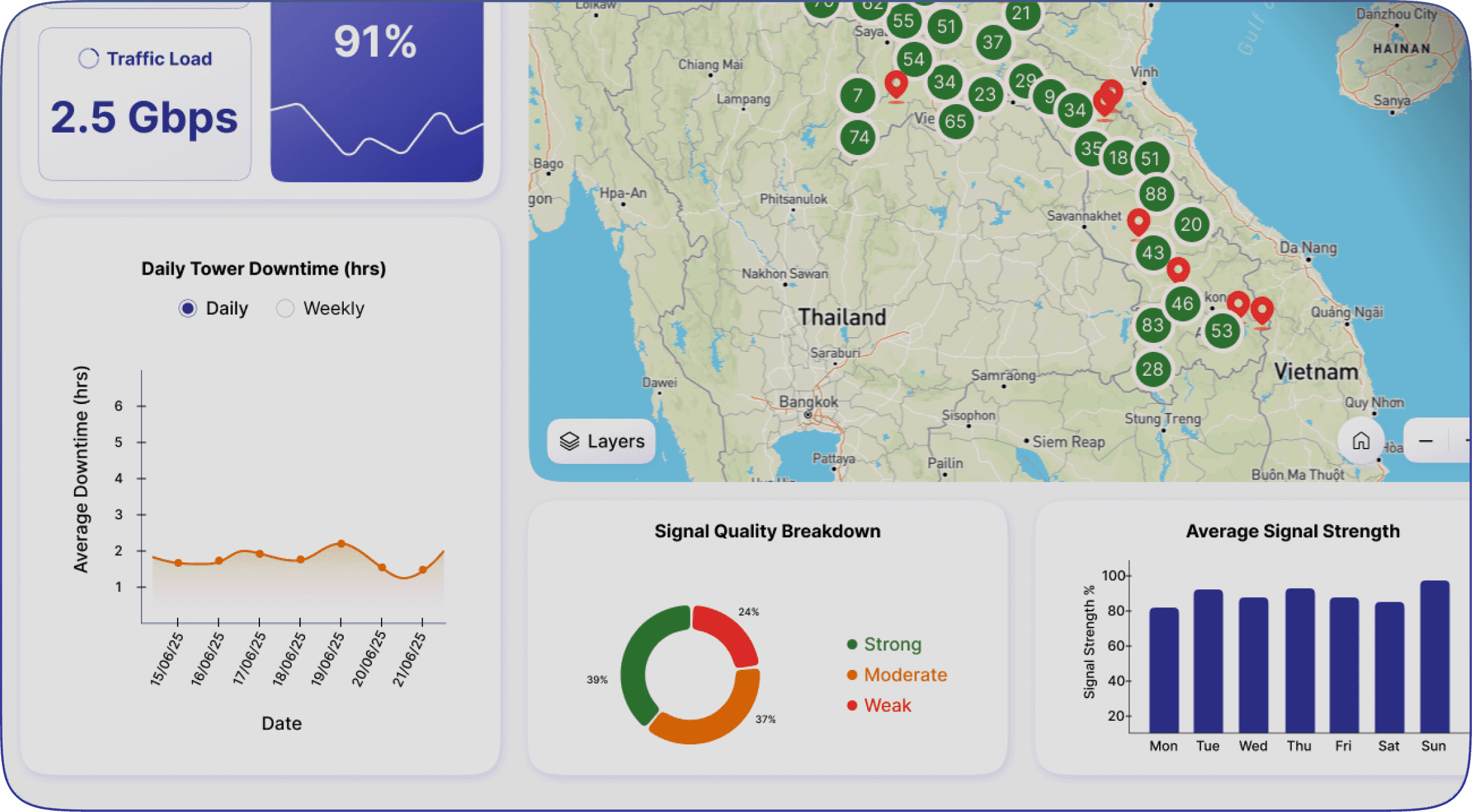
Daily Tower Downtime (hrs)
Daily
Weekly
Average Downtime (hrs)
Week Range
0.5
1
1.5
2
2.5
3
3.5
4
Week 25
Week 26
Week 27
Week 28
Weekly Tower Downtime (hrs)
Daily
Weekly
Signal Strength %
Mon
Tue
Wed
Thu
Fri
Sat
Sun
20
40
60
80
100
Average Signal Strength
Signal Quality Breakdown
37%
39%
24%
Strong
Moderate
Weak

Traffic Load
2.5 Gbps
Active Alerts
128

Total Towers
4646
Good Condition
1228
High Utilization
3283
Needs Attention
165
Downtime
(Today)
4h 2m
Traffic Load
2.5 Gbps
Total Towers
394
Good Condition
128
High Utilization
254
Needs Attention
12
20
28
87
2
XYL0037_NAMTHEO_GUL_2G
HUAWEI
|
2G
|
Sayaboury

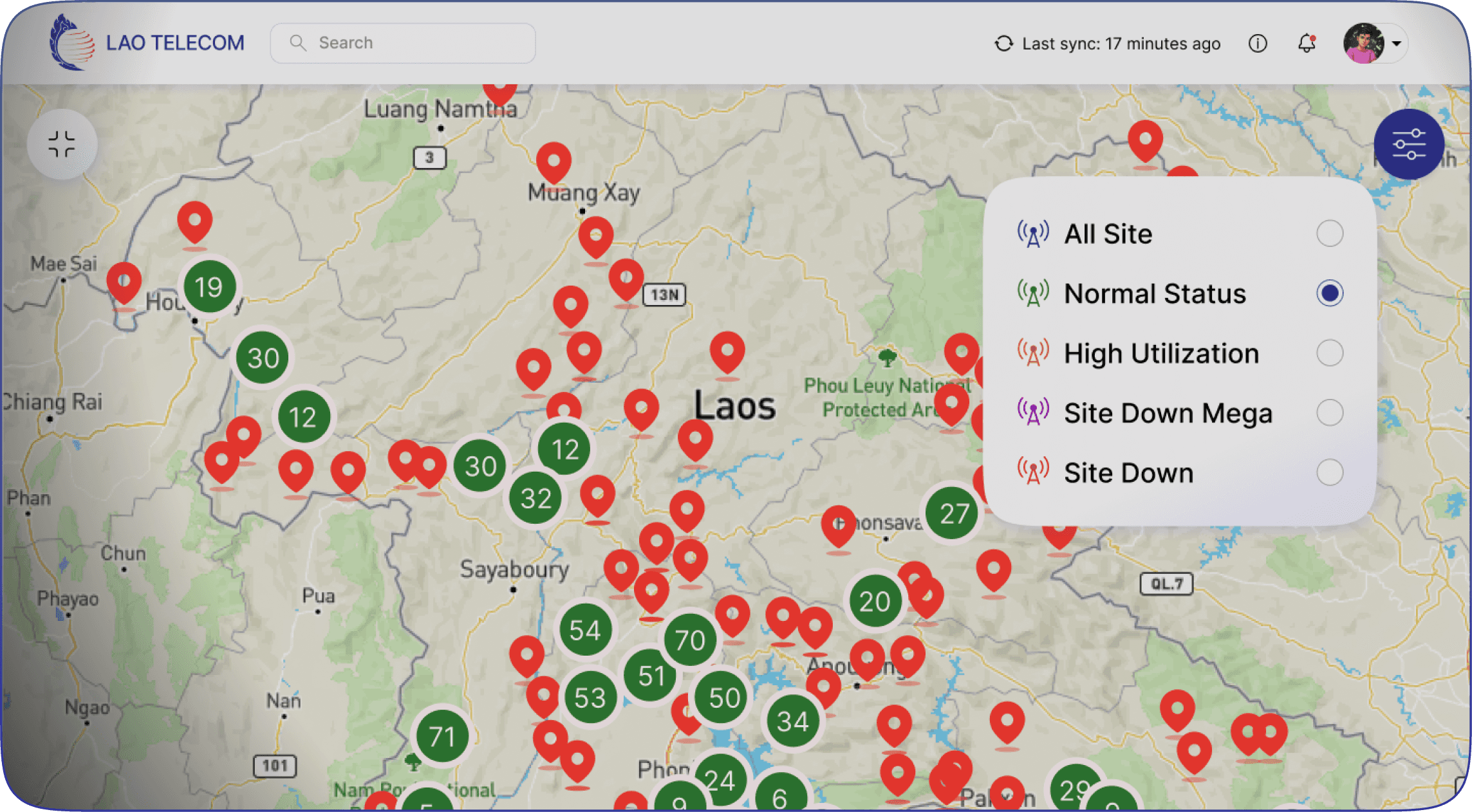
All Site
Normal Status
High Utilization
Site Down Mega
Site Down

Layers
Layers

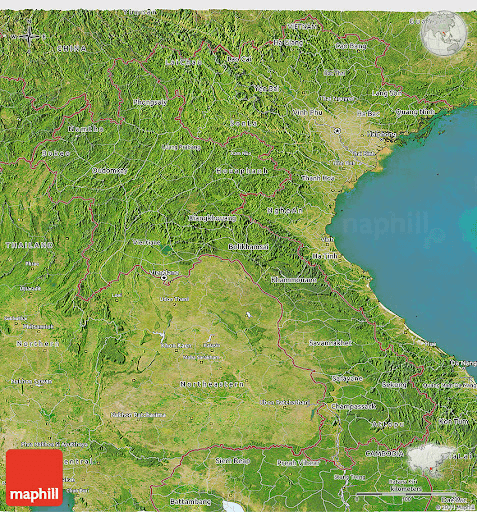
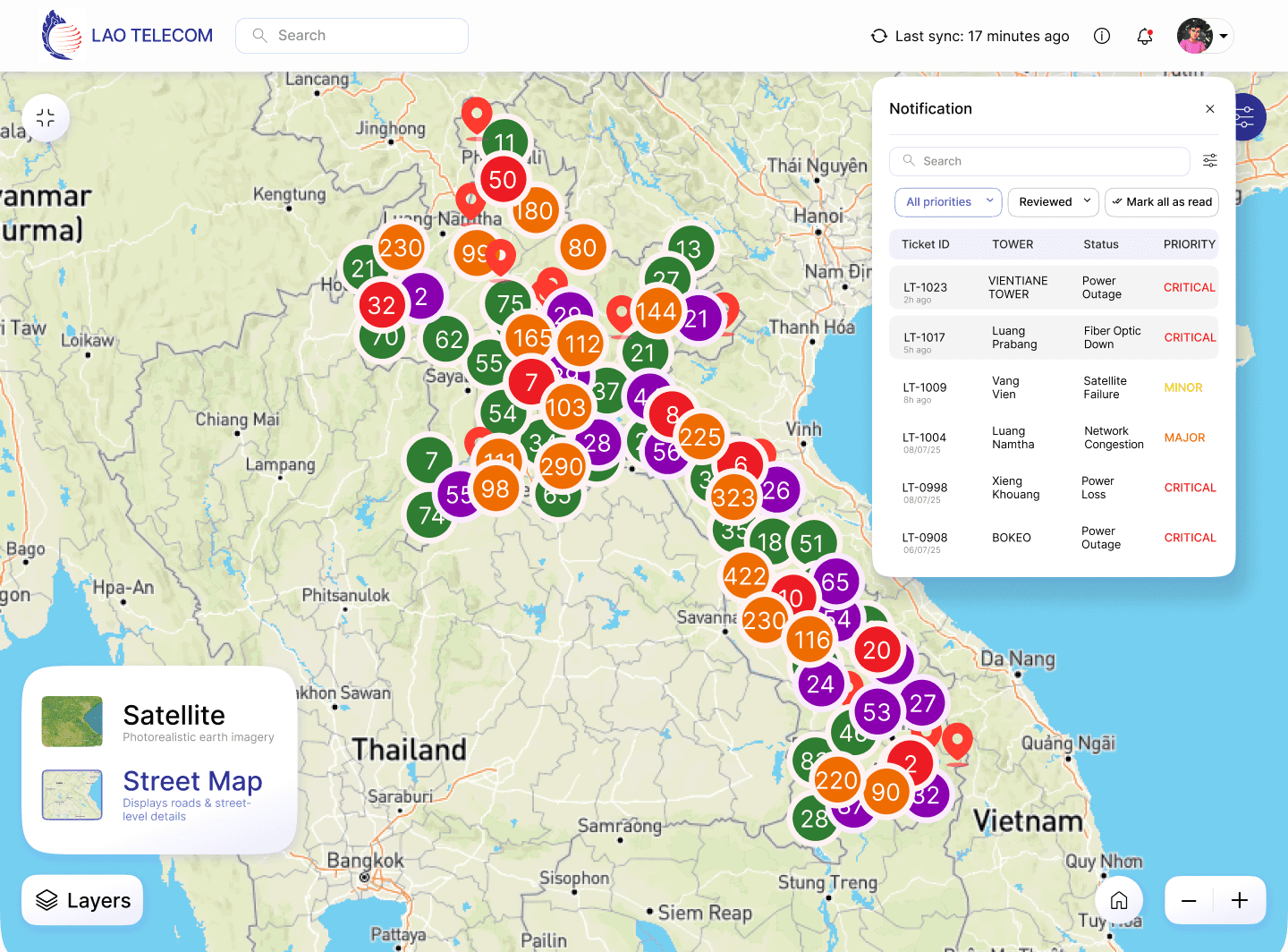
Satellite
Photorealistic earth imagery
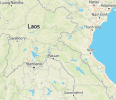
Street Map
Displays roads & street-level details
ATP_B.Bungxal_1
Site Name
Province
District
Village
Vendor
Network
Downdate
Alarm Type
Rootcause
Ticket Id
Ticket Sent Time
Noc Staff
ATP_B.Bungxal_1
Bokeo Province
Houaixai
Houayxay
HUAWEI
2G
2025-07-04 18:40:00
NODEB UNAVAILABLE
Service
1203618
2025-07-04 19:59:00
VIENGSY

LAO TELECOM
Search

Last sync: 17 minutes ago
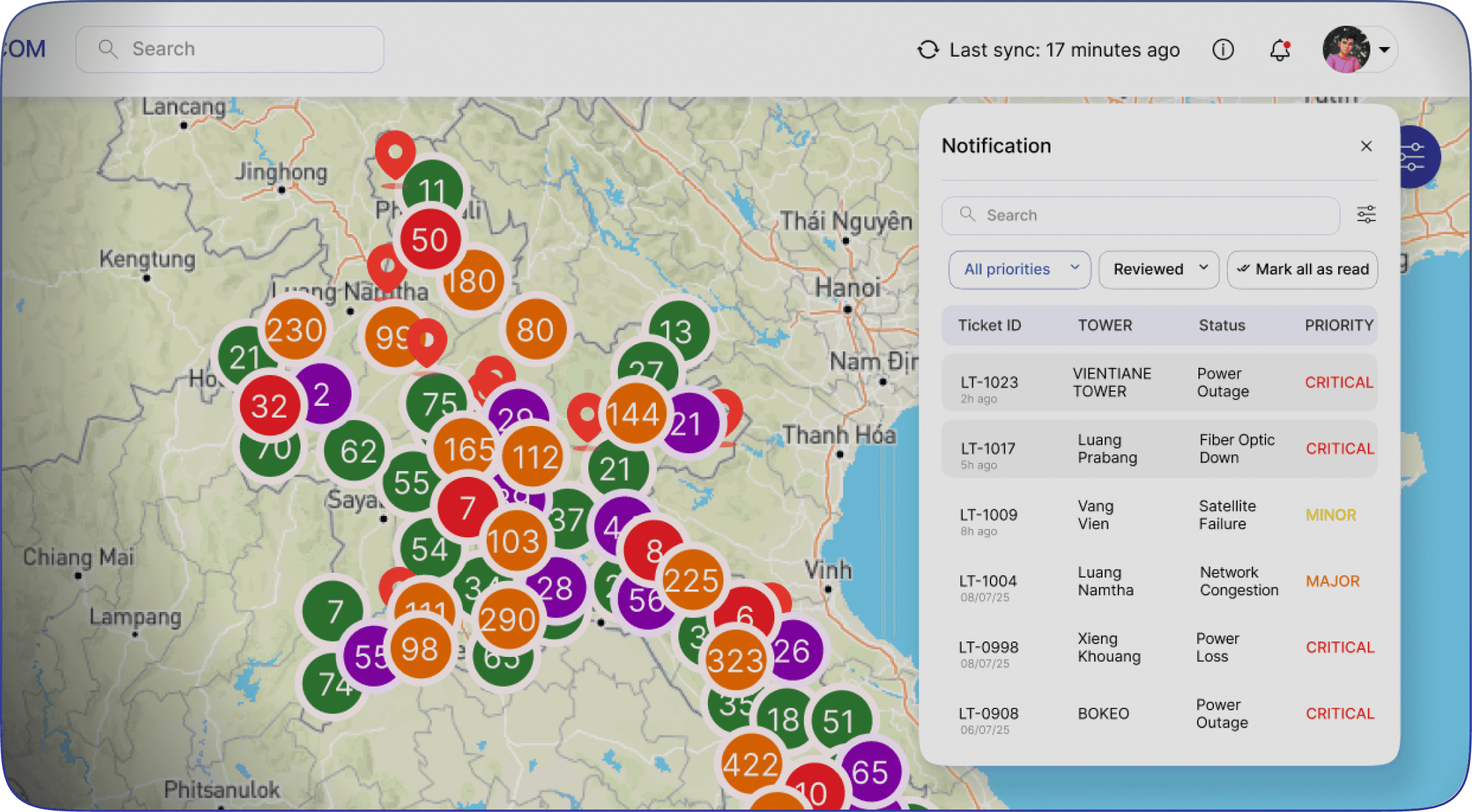
Notification
Search
All priorities
Reviewed
Mark all as read
Ticket ID
Tower
Status
Priority
LT-1023
Vientiane
Tower
Power
Outage
Critical
2h ago
LT-1017
Luang
Prabang
Fiber Optic
Down
Critical
5h ago
LT-1009
Vang
Vien
Satellite
Failure
Minor
8h ago
LT-1004
Luang
Namtha
Network
Congestion
Major
08/07/25
LT-0998
Xieng
Khouang
Power
Loss
Critical
08/07/25
LT-0908
Bokeo
Power
Outage
Critical
06/07/25
ATP_AIRPOT-1
Normal Status
ATP_AIRPOT-2
Normal Status
ATP_AIRPOT-3
Normal Status
ATP_AIRPOT-4
Normal Status
ATP_AIRPOT-5
Normal Status
ATP_B.Bungxal_1
Normal Status
ATP_B.Bungxal_2
Normal Status
ATP_B.Bungxal_3
Normal Status
CHP_SANGNAMMUN_L18_1
High Utilization All
CHP_SANGNAMMUN2_L21_1
High Utilization All
CHP_SANGTHIENG_L18_33
High Utilization All
CHP_STADIUM_4G_11
High Utilization All
Site Name
Status
|
XYL0037_NAMTHEO_GUL_2G
Site Down Mega
XYL0037_NAMTHEO_GUL_2G
Site Down Mega
XYL0037_NAMTHEO_GUL_2G
Site Down Mega
XYL0037_NAMTHEO_GUL
Site Down Mega
XYL0037_NAMTHEO_GUL
Site Down Mega
XYL0037_NAMTHEO_GUL
Site Down Mega
XYL0037_NAMTHEO_GUL
Site Down Mega
XYL0037_NAMTHEO_GUL
Site Down Mega
XYL0037_NAMTHEO_GUL
Site Down Mega
XYL0037_NAMTHEO_GUL
Site Down Mega
XYL0037_NAMTHEO_GUL
Site Down Mega
XYL0037_NAMTHEO_GUL
Site Down Mega
Site Name
Status
|
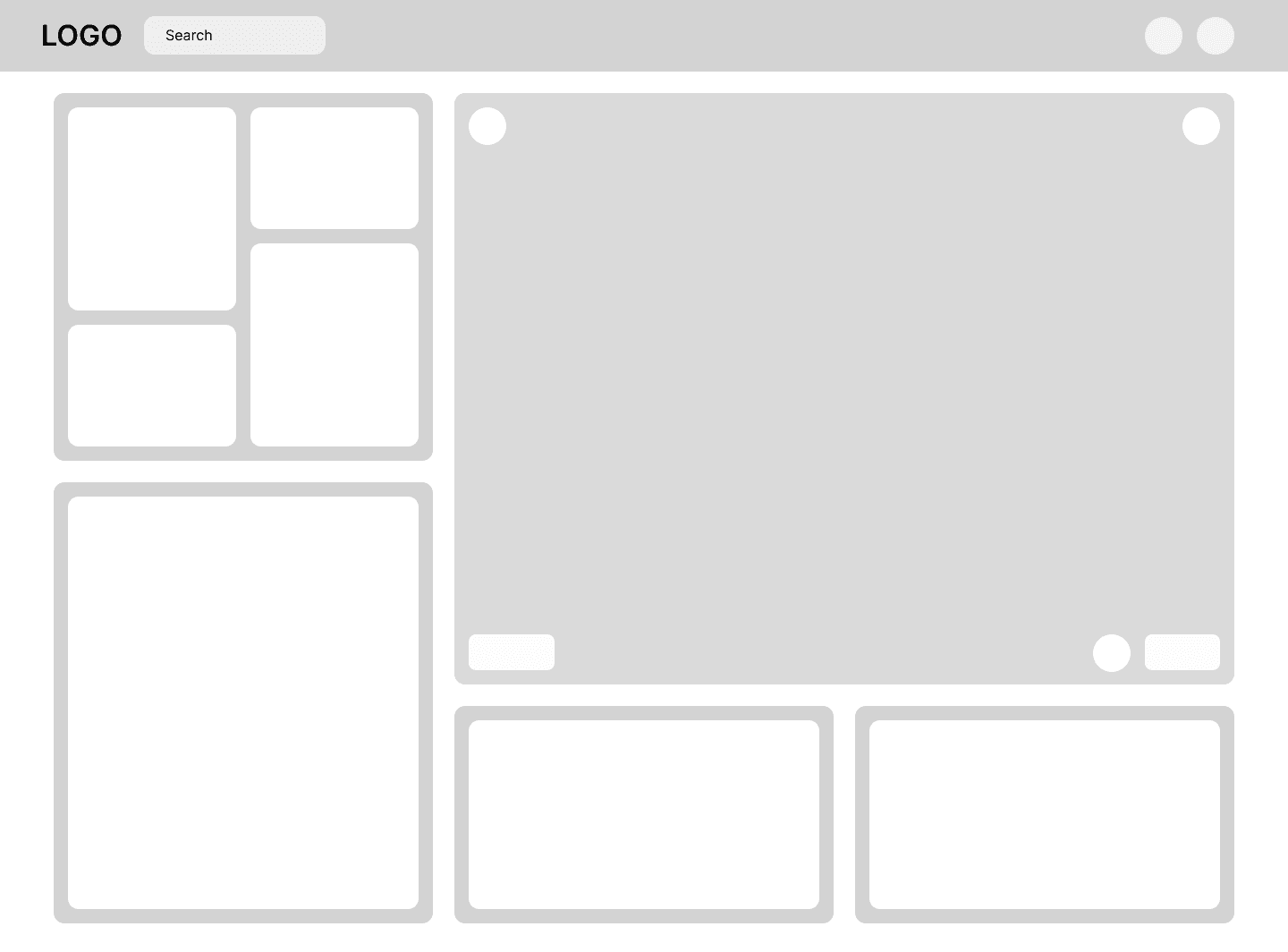
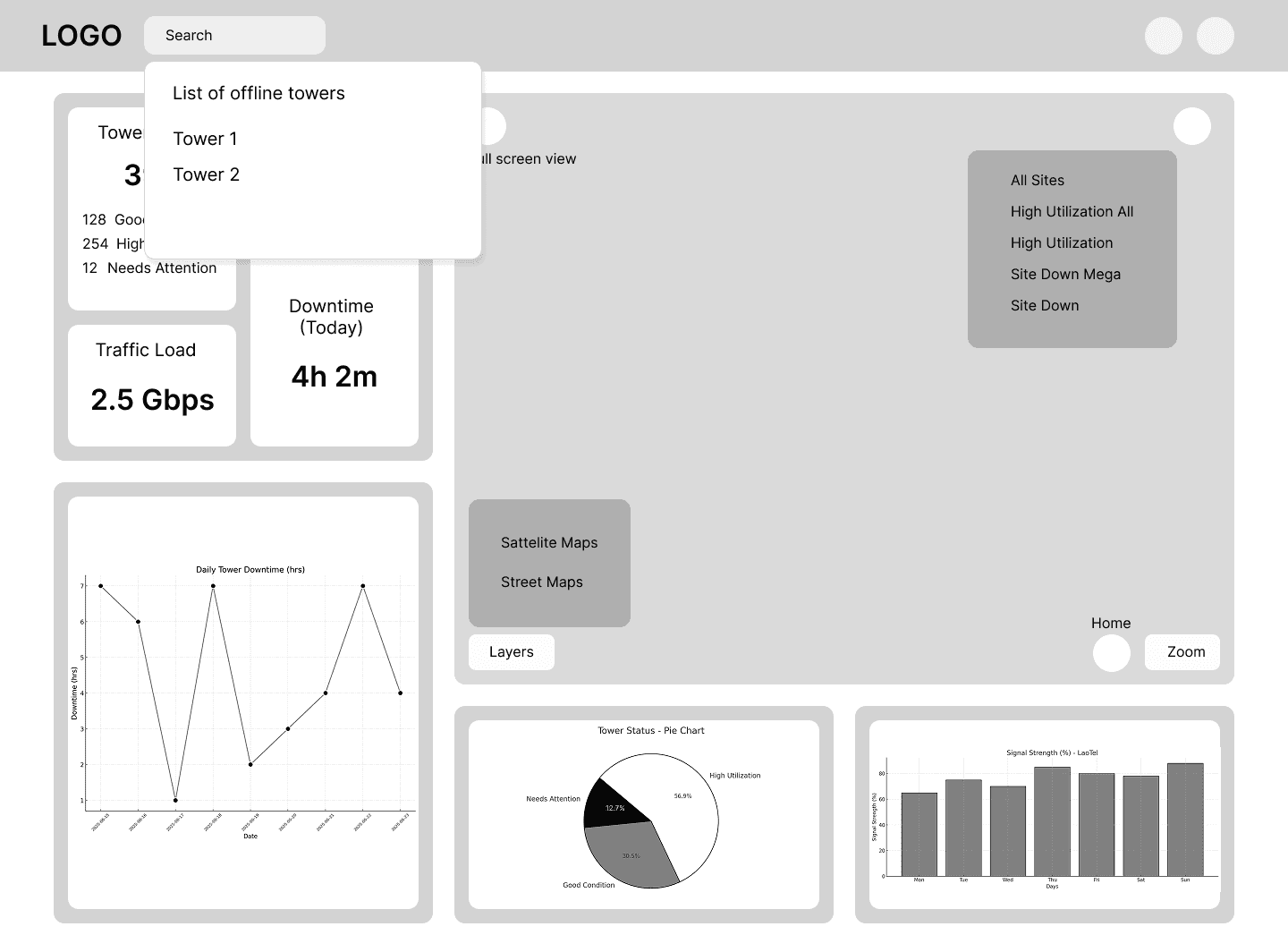
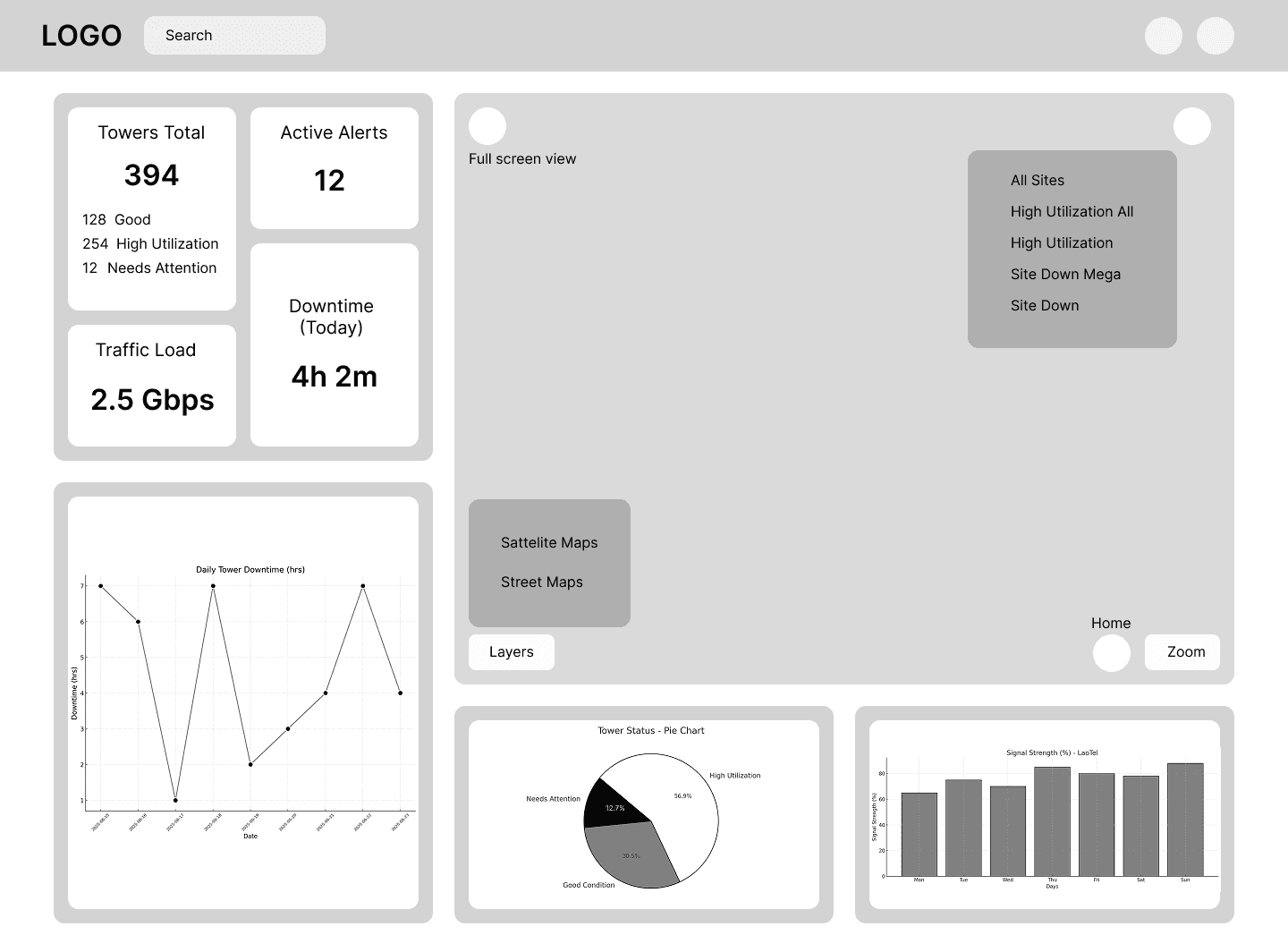
Early Wireframes
Focused on validating map dominance and KPI visibility.
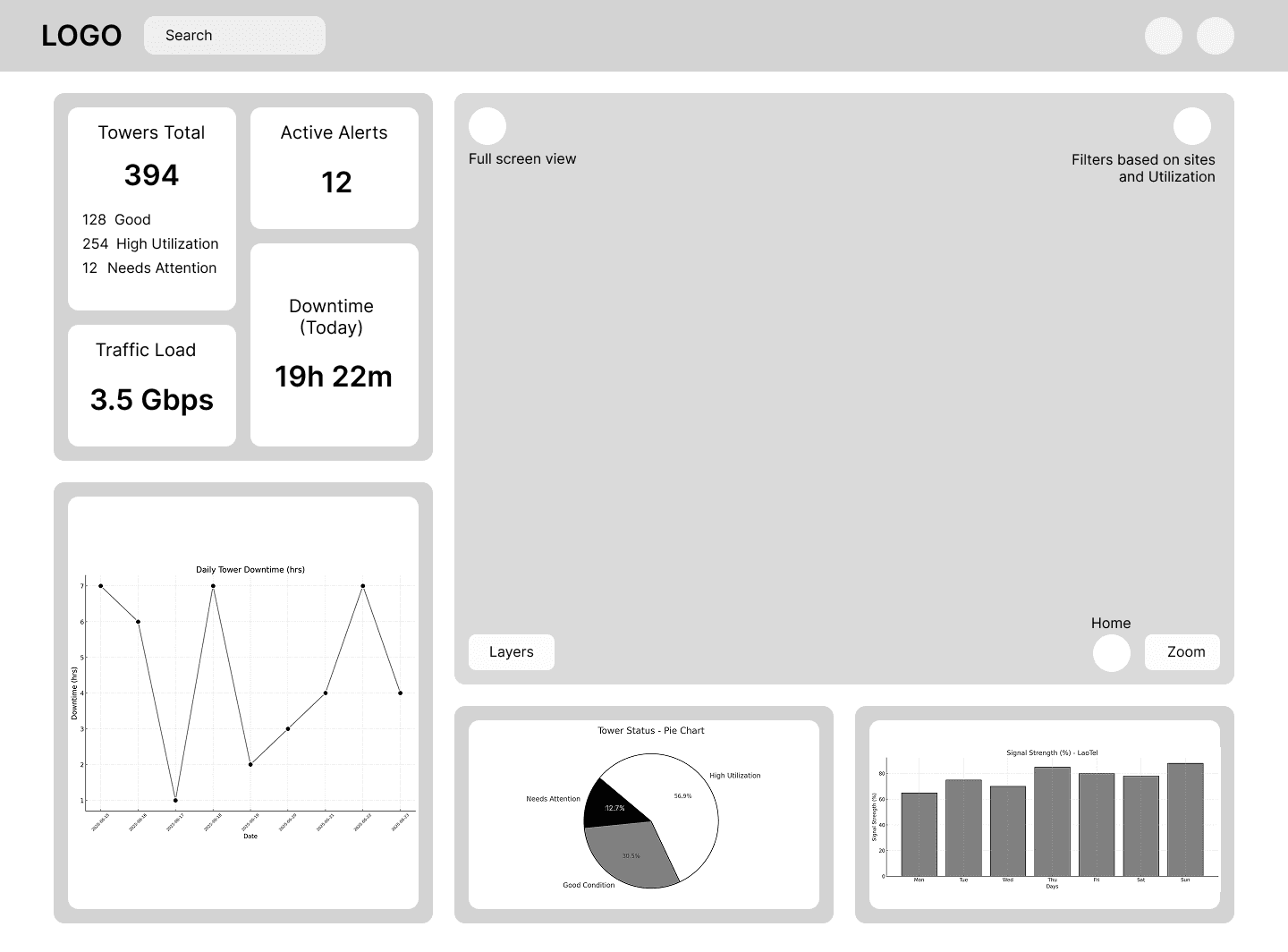
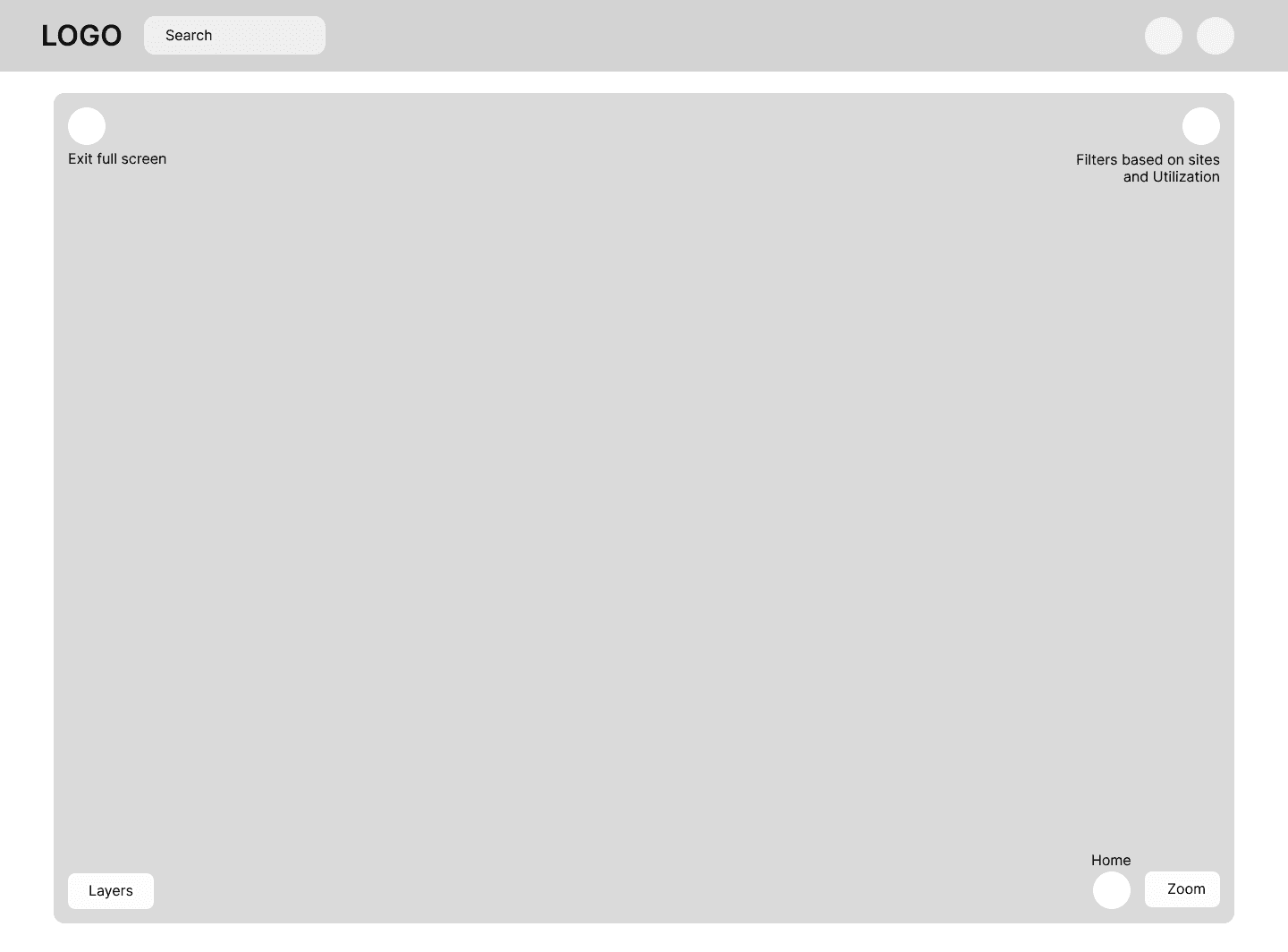
Refined spacing, hierarchy, and interaction flow before visual polish.

Mid-Fidelity Wireframes
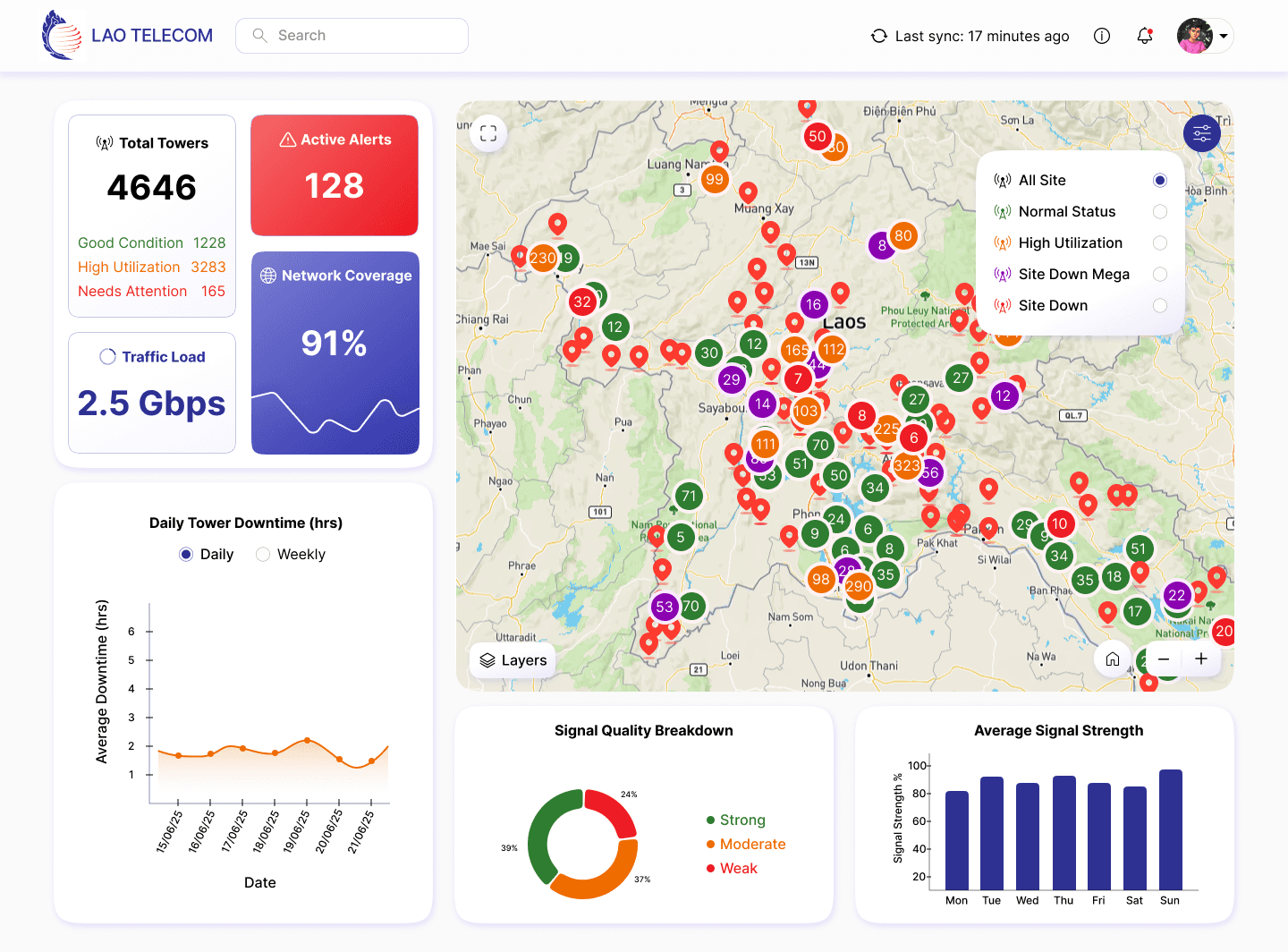
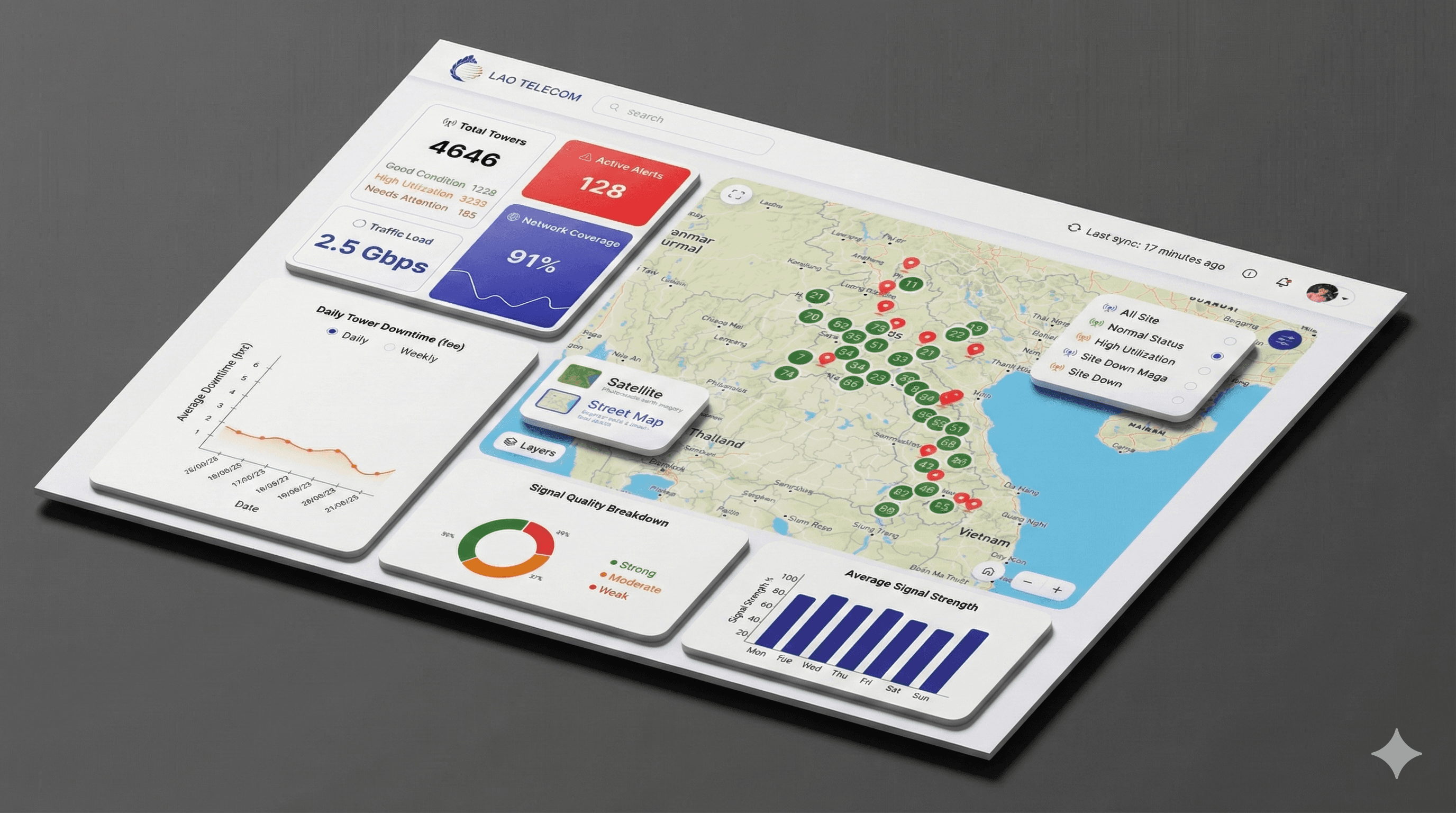
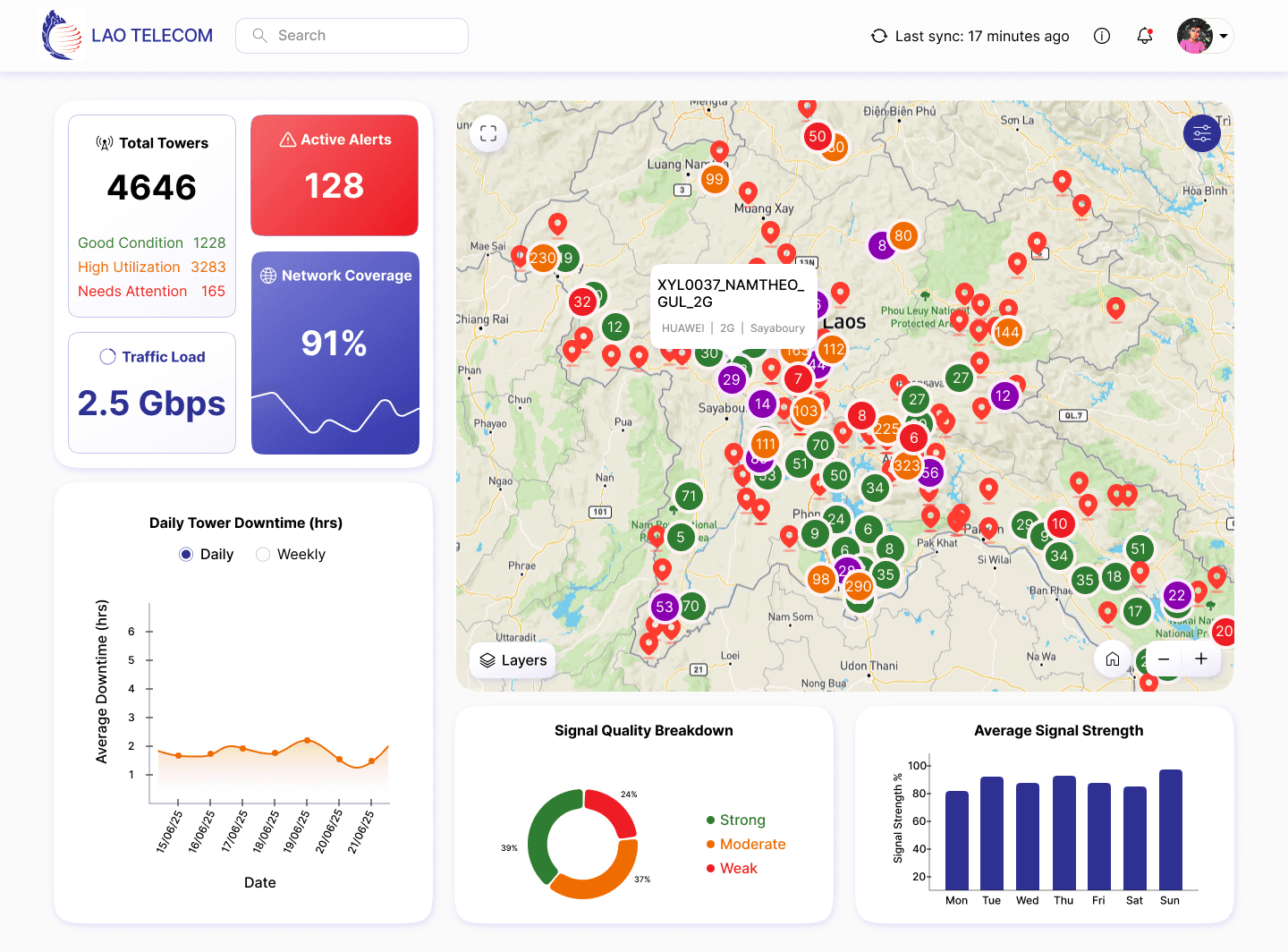
Final Redesigned Dashboard
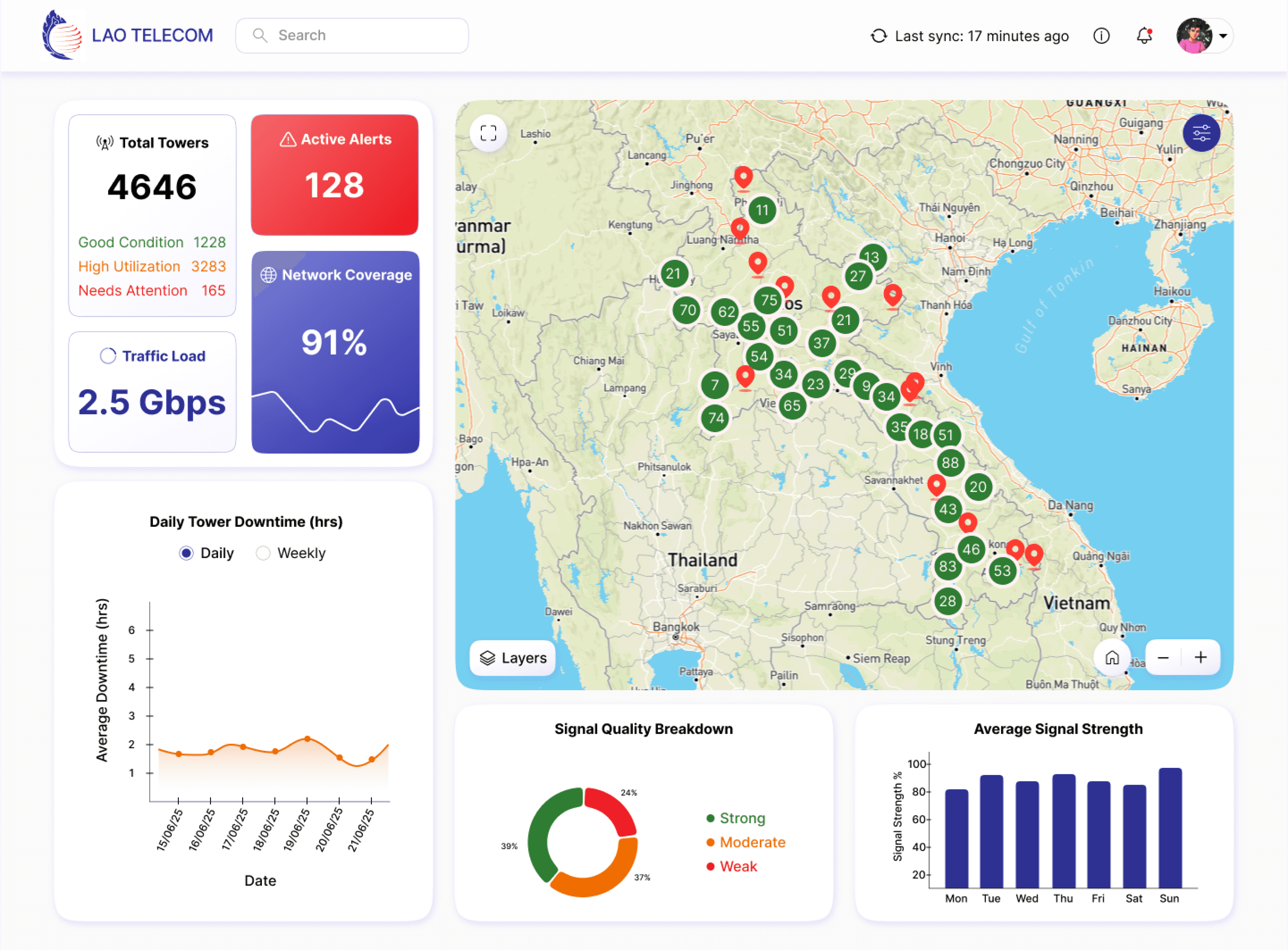
A modern, KPI-first dashboard designed for faster monitoring and decision-making
KPI-first layout for instant network health
Clear alert prioritization
Visual map-based monitoring
Reduced cognitive load
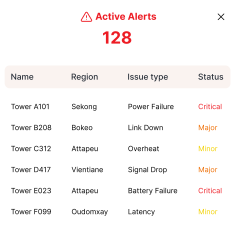
Key KPIs and alert summaries provide an instant view of network health and critical issues.
Trend-focused charts reveal patterns and performance changes over time.
Color-coded sites and visual filters enable quick scanning and prioritization across regions.
A centralized notification dropdown keeps users informed without disrupting active monitoring.
KPIs & Alerts Overview
Trend & Performance Insights
Map-Based Monitoring & Filters
Notifications & Updates
Traffic Load
2.5 Gbps
Active Alerts
128
Total Towers
4646
Good Condition
1228
High Utilization
3283
Needs Attention
165
Downtime
(Today)
4h 2m
Traffic Load
2.5 Gbps
Total Towers
394
Good Condition
128
High Utilization
254
Needs Attention
12




Key Learnings
Thanks for taking the time to view this case study.
Designing dashboards is about prioritization, not density
Clear hierarchy reduces cognitive load more than visual polish
Strong KPIs enable faster decisions than detailed tables
Key takeaways from designing a data-heavy monitoring dashboard during my internship.
I’m always open to feedback and discussions around design.